



I spent time testing 4 free AI music generators, Suno AI, Udio, Stable Audio, and Mubert, using my own prompts and comparing the results. No sponsored opinions here.
Here’s what I found.
Quick Comparison
| Tool | Best For | Free Limit | Generation Time | Vocals? |
|---|---|---|---|---|
| Suno AI | Full songs with lyrics | 50 credits/day (~10 songs) | ~1 minute | Yes |
| Udio | Cinematic instrumentals | 10 credits/day + 100/month bonus (max ~3 songs/day) | ~30 seconds | Yes |
| Stable Audio | Sound loops and effects | 24 one-time credits at signup | 1-1.5 minutes | No |
| Mubert | YouTube background music | 25 tracks/month | ~30 seconds | No |
1. Suno AI, Best for Full Songs with Vocals
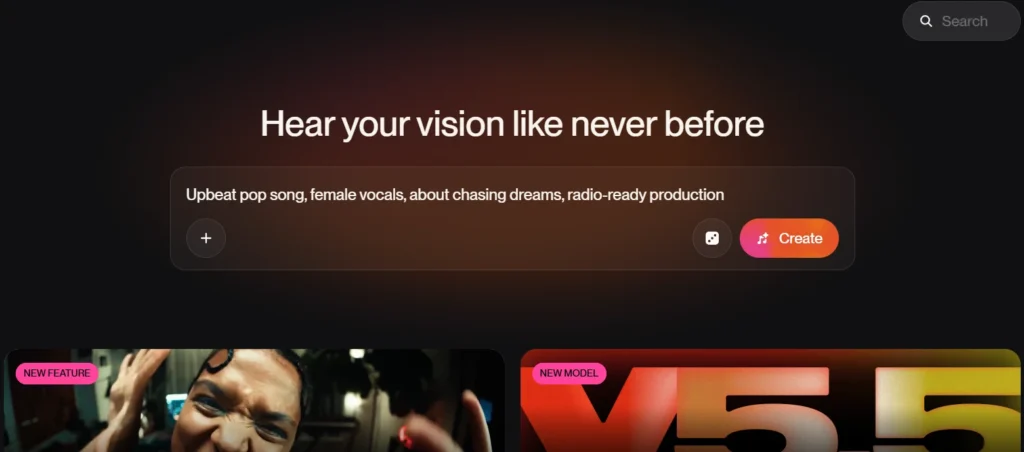
I started with this prompt:
“Upbeat pop song, female vocals, about chasing dreams, radio-ready production.”
Suno generated 4 different tracks from that single prompt. I listened to all 4, and every one sounded genuinely good. To my ears, none of them had that robotic, hollow quality you’d expect from AI-generated audio. I repeated the test 3 times, and the results stayed consistently good across all attempts.
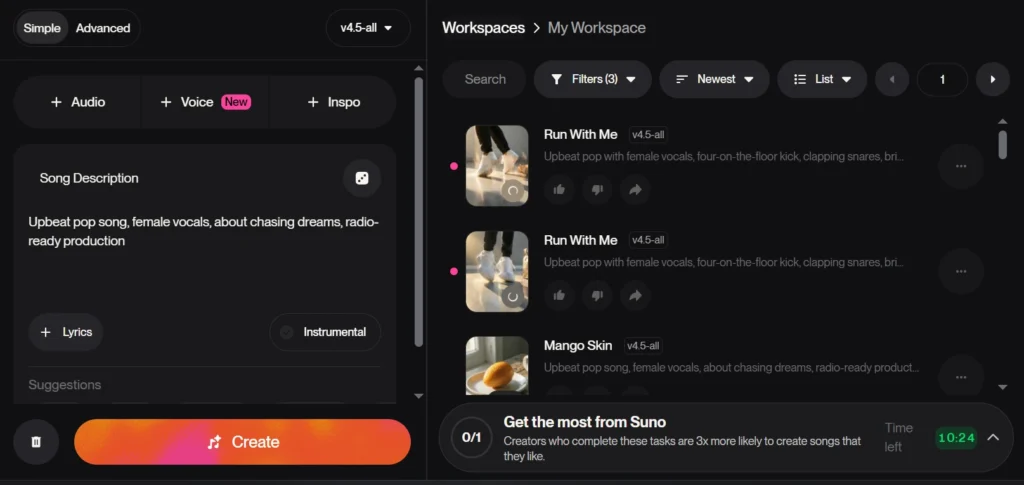
Each generation took about 1 minute.
I’d use this tool again without hesitation. For generating complete songs on the free plan, nothing else on this list comes close.
Free plan: 50 credits/day, 5 credits per song , roughly 10 songs per day.
Pros:
- Full songs with real lyrics and vocals
- Multiple variations per prompt
- Strong quality across repeated attempts
- Fast turnaround
Cons:
- Credits run out quickly if you’re generating in bulk
Who should use it: Content creators, YouTubers, or anyone who wants a complete song , vocals and all , without touching music software.
2. Udio, Best for Cinematic Instrumentals
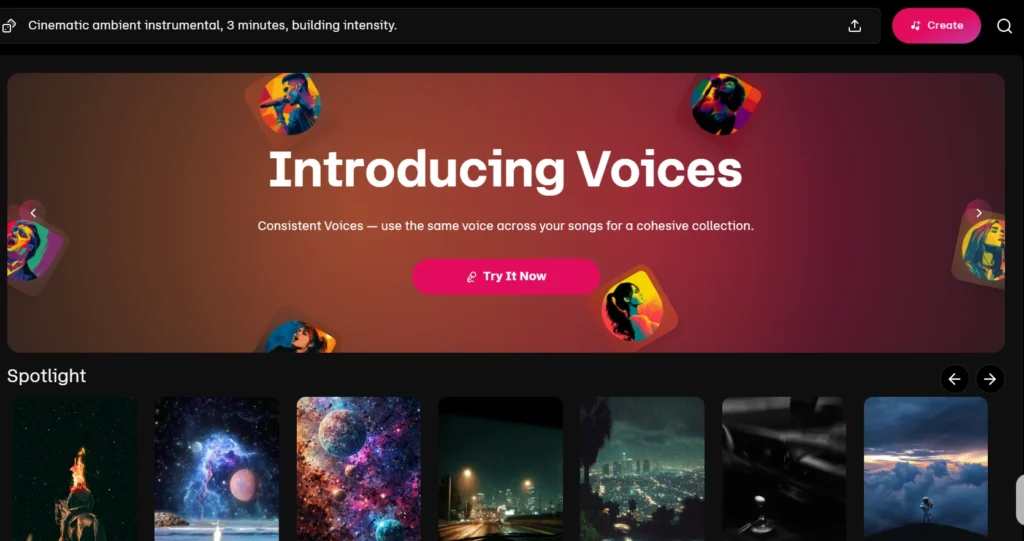
For my first test on Udio, I ran the same prompt I used on Suno:
“Cinematic ambient instrumental, 3 minutes, building intensity.”
Udio returned two different tracks. Both sounded impressive , the kind of background score you’d expect in an actual film scene, not something generated in 30 seconds. The generation itself took about 30 seconds.
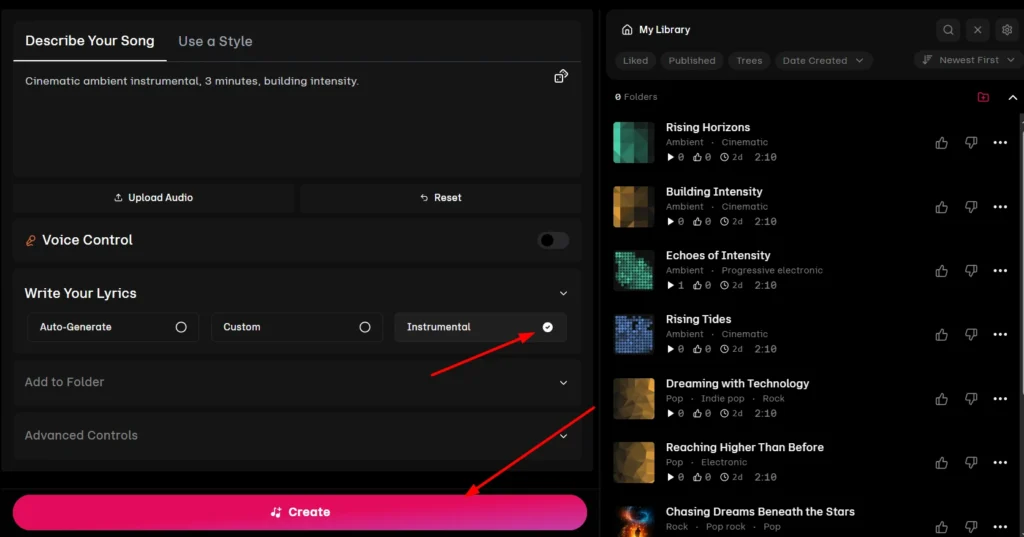
I also ran the same prompt on Suno to compare directly. Suno’s version was decent, but Udio’s instrumental felt more like something out of an actual film score. For pure instrumental work, Udio has a clear edge.
I’d use Udio again for any video project that needs a polished background score.
Free plan: 10 credits/day plus a 100-credit monthly bonus. In practice, that works out to roughly 3 full songs per day , the structure is more complex than a simple daily track limit.
Pros:
- Excellent instrumental quality
- Fast generation
- More precise control over mood and genre
Cons:
- Free credit structure is a bit confusing to track
- Lower daily song output than Suno
Good fit if: You’re editing a cinematic or documentary-style video and need a professional-sounding score without paying for a composer.
3. Stable Audio, Best for Sound Design and Short Loops
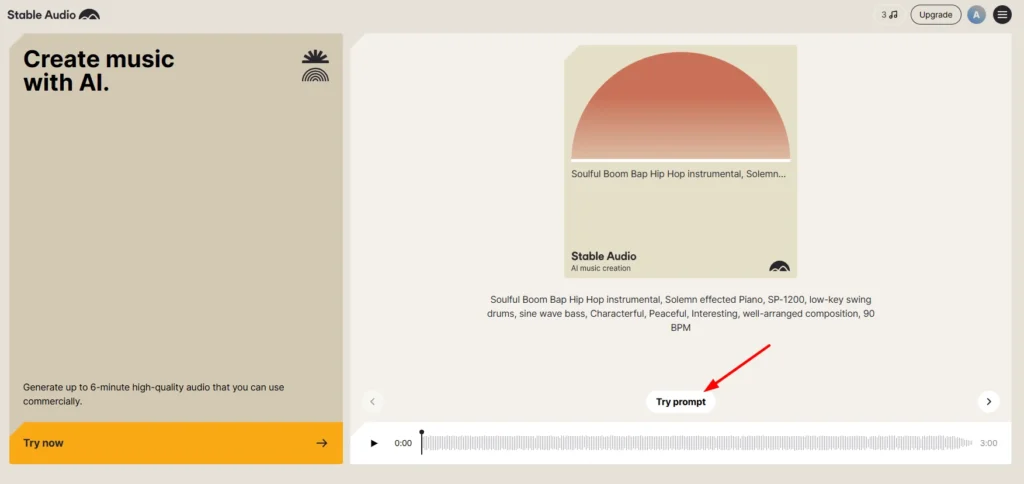
To see how it handled variety, I ran 4 completely different prompts:
- “Lo-fi background loop for coding videos, 60 seconds”
- “Cinematic sound effect, whoosh transition”
- “Electronic ambient bed for product demo video”
- “Jazz fusion track, saxophone lead, smooth”
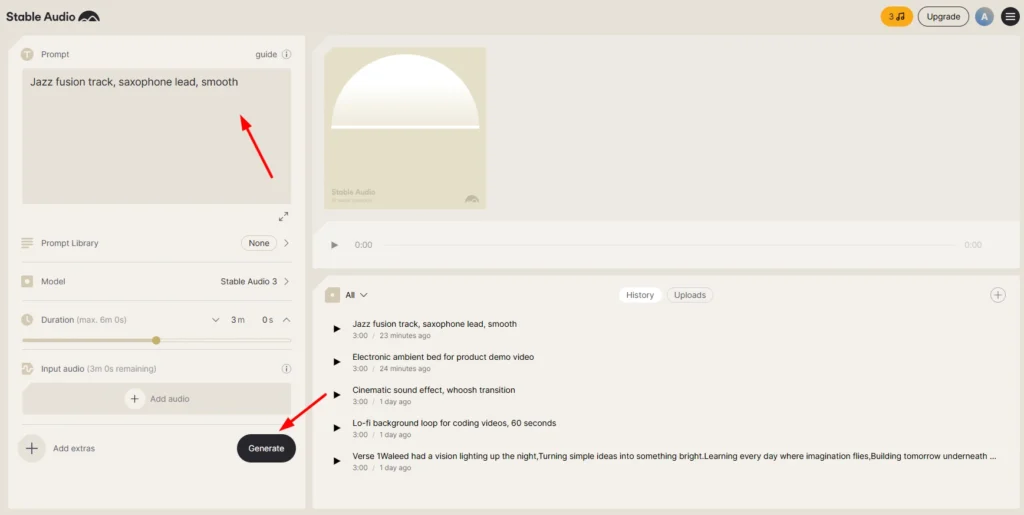
The first result was genuinely great , clean, usable, exactly what the prompt described. The second, third, and fourth were noticeably weaker. Quality dropped, and the outputs started sounding similar to each other even though each prompt was completely different. Each generation took 1 to 1.5 minutes.
My overall experience was mixed. The first attempt impressed me, but the drop in variety across later outputs was hard to ignore. I’d probably use this again for one-off sound effects, but not for a session that needs consistent quality across multiple generations.
Free plan: 24 one-time credits at signup , not a daily allowance. Once those are used, you’d need a paid plan. Worth keeping in mind before you start generating freely.
Pros:
- Great for short loops and sound effects
- Clean audio on the first attempt
- Works well for very specific sound design prompts
Cons:
- Inconsistent across multiple generations
- Limited output variety even with different prompts
- One-time credit limit means you can’t rely on it long-term for free
I’d recommend it for: Podcast producers and video editors who need a specific sound effect or short background loop , not a full track.
4. Mubert, Best for YouTube Background Music
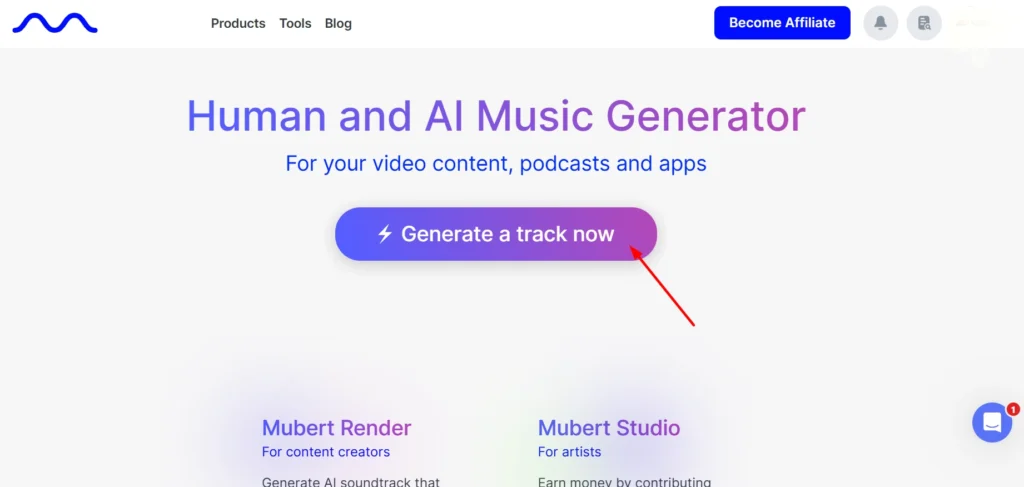
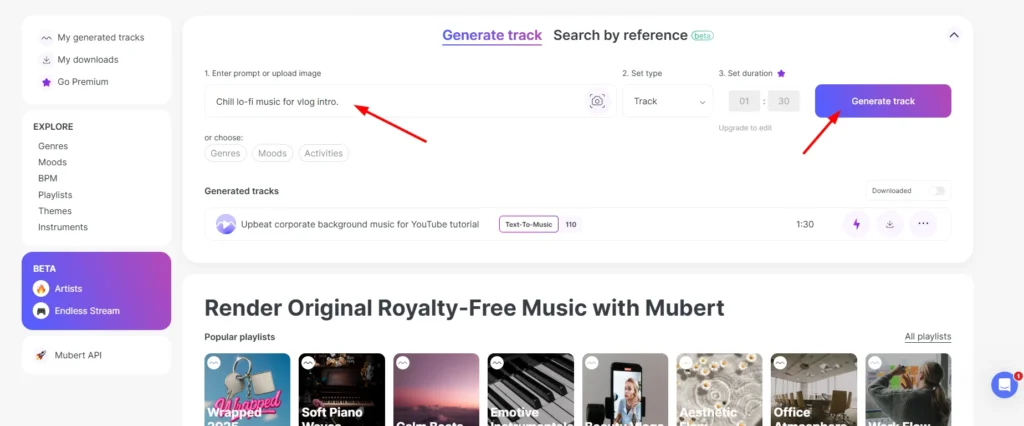
I wanted to compare how it handled a simple vlog use case, so I used this prompt:
“Chill lo-fi music for vlog intro.”
The track came back in 30 seconds. I tested it 2 to 3 more times with the same prompt and got a different result every single attempt , no repeated outputs, no failed generations. After a few tests, it felt reliable enough for quick background music.
I’d use this again for YouTube background tracks. It’s the fastest option on this list for that specific purpose.
Free plan: 25 tracks per month, with attribution required. That’s not 25 per day , so plan accordingly if you’re producing content at volume.
Pros:
- Extremely fast (30 seconds)
- Consistent quality across multiple attempts
- Good variety , no repeated results
Cons:
- Attribution required on free plan
- 25 tracks/month caps out quickly for active creators
- No vocals
Ideal choice for: YouTubers and vloggers who need quick, reliable background music without browsing stock libraries for an hour.
Which Tool Should You Actually Use?
Want a full song with vocals?
Go with Suno AI. The quality held up across all my tests, the free limit is generous, and it requires zero music knowledge to use.
If you’re editing a cinematic or documentary-style video?
Udio produced cleaner instrumentals than Suno in my direct comparison. The 30-second generation time is a genuine advantage.
Need a background loop or specific sound effect?
Stable Audio works well for a single attempt , just don’t expect the same quality to carry through multiple generations.
Just need YouTube background music, fast?
Mubert is the most reliable option for that specific use case. Thirty seconds per track, every attempt different.
Conclusion
After testing all 4, the biggest difference wasn’t audio quality alone , it was what each tool was actually built to do. Suno worked best for complete songs with vocals. Udio stood out for cinematic instrumentals. Stable Audio handled short sound design tasks well on the first try. Mubert was the quickest and most consistent for background tracks.
All 4 are free to start and require no music background. For most content creators, Suno AI is the easiest starting point. If you’re working on something more cinematic, test Udio alongside it. Both are worth bookmarking.
FAQs
Which AI music generator is best for beginners with no music knowledge?
Suno AI. You type a description of what you want, and it handles everything , genre, lyrics, vocals, production. No settings to configure, no music theory required.
Can I use free AI-generated music on a monetized YouTube channel without copyright strikes?
It depends on the tool’s licensing terms , and the short answer is: free tiers generally restrict commercial use. Suno AI and Udio both limit commercial rights to paid plans. Mubert’s free plan requires attribution and has its own restrictions. Read each tool’s terms before uploading to a monetized channel , licensing terms change over time, so it’s worth checking before publishing.
How long does it take to generate a song using these tools?
Suno AI takes about 1 minute per generation. Udio and Mubert both take around 30 seconds. Stable Audio runs 1 to 1.5 minutes per output.
What’s the main difference between tools that generate full songs and tools that generate background music?
Full-song tools like Suno and Udio create complete tracks , structure, melody, often lyrics and vocals. Background music tools like Mubert generate loops or ambient beds designed to sit under speech or visuals without demanding attention. One is a song you’d listen to on its own; the other is audio wallpaper.
Do I need to pay to remove the watermark or attribution requirement on free AI music tracks?
For most tools, yes. Mubert’s free tier requires attribution. Suno and Udio allow some free use without attribution, but commercial licensing for professional projects may require a paid plan. Check each tool’s pricing page for the current terms.