

AI assistant apps have gotten good on Android. Not “good for a phone app” good. Actually useful for real work.
I tested 8 of them in July 2026 on my Infinix Android phone across writing, research, screenshot analysis, and daily task planning. Some surprised me. Some disappointed me. One tried to sell me affiliate links, which I didn’t ask for.
Here’s what I found.
Testing note: I tested these apps myself on my Infinix Android phone using real prompts from my actual work. Where possible, I kept the prompts similar so the comparison stayed fair. Free limits and features change often, so check each app before choosing one.
Quick answer
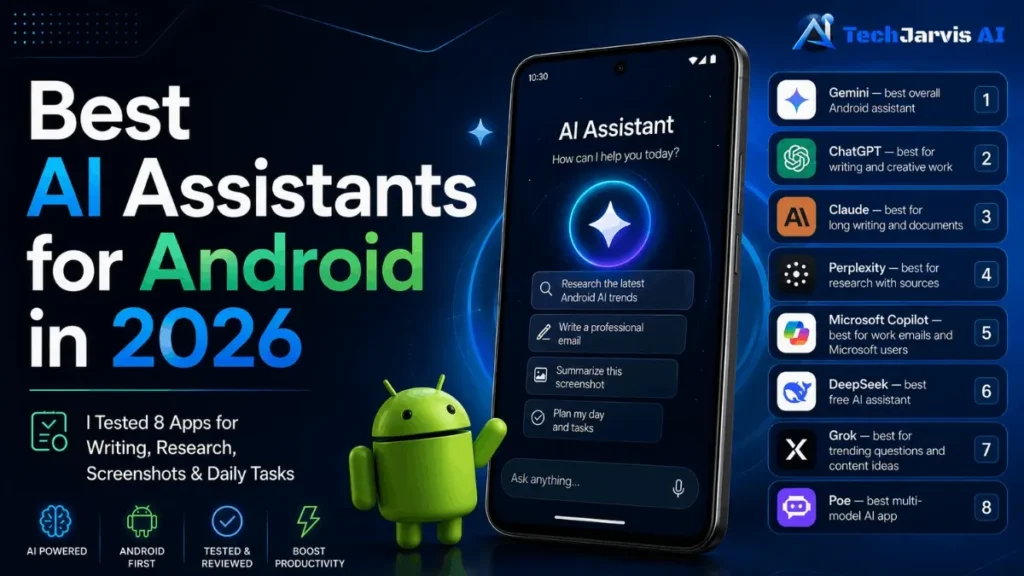
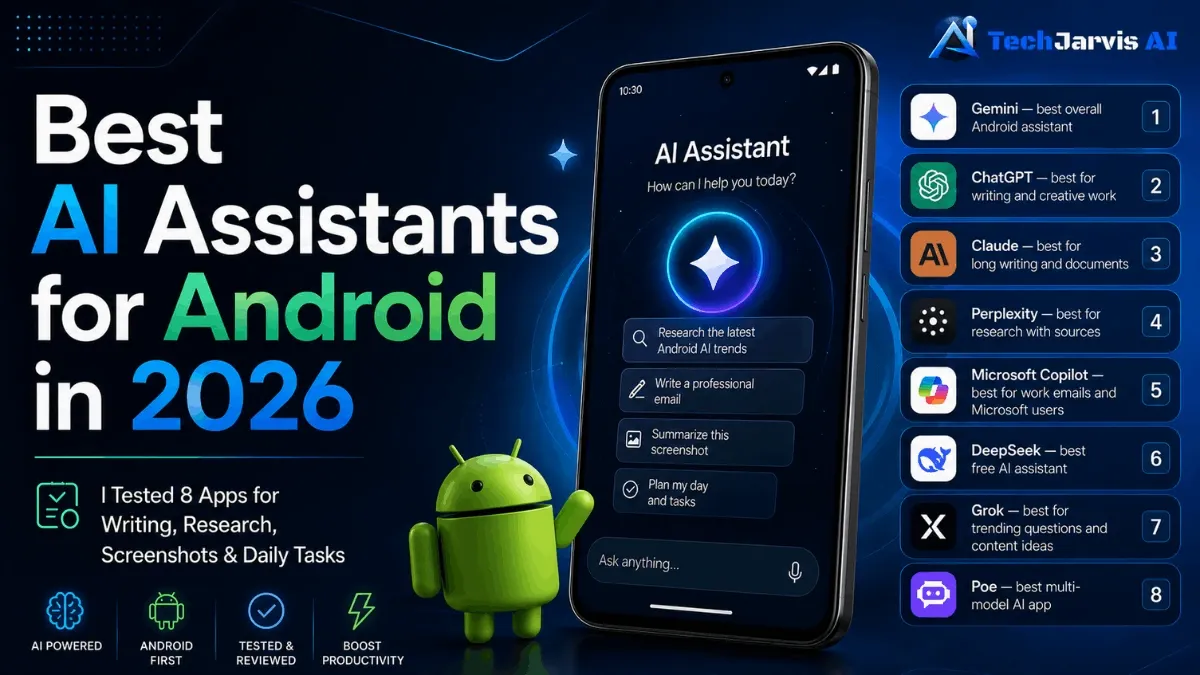
The best AI assistant for most Android users in 2026 is Gemini because it works closely with Android and Google apps. For writing, ChatGPT is stronger. For research with sources, Perplexity is the better choice. For long documents and screenshot feedback, Claude stands out.
Quick verdict: best AI assistants for Android in 2026
| App | Best for | Free plan | Paid plan |
|---|---|---|---|
| Gemini | Overall Android assistant | Yes | Google One AI Premium from $19.99/mo |
| ChatGPT | Writing and creative work | Yes | Plus from $20/mo |
| Claude | Long writing and documents | Yes | Pro from $20/mo |
| Perplexity | Research with sources | Yes | Pro from $20/mo |
| Microsoft Copilot | Work emails and Microsoft users | Yes | Microsoft 365 from $6.99/mo |
| DeepSeek | Free, simple AI assistant | Yes | Free |
| Grok | Trending topics and brainstorming | Yes | X Premium from $8/mo |
| Poe | Trying multiple AI models | Yes | Pro from $19.99/mo |
What is an AI assistant on Android?
An AI assistant on Android is an app that understands text or voice input and helps you do things faster. In simple terms, it can answer questions, write emails, summarize articles, translate text, explain screenshots, or help you plan your day.
Some are better at controlling phone functions. Others are better at writing or research. None of them can do everything perfectly, and a few will tell you they can when they can’t.
What can AI assistants actually do on Android?
Practical stuff, mostly. These are the tasks where they actually helped me:
- Drafting emails and messages
- Writing article introductions or full drafts
- Researching topics with cited sources
- Analyzing screenshots of websites or documents
- Planning daily work schedules
- Brainstorming content ideas
- Explaining technical terms in simple language
What they can’t fully do: control every Android setting, integrate deeply with every app, or replace a proper research process. I’ll cover the limits at the end.
How I tested these AI assistants
I gave each app a real task, not a made-up benchmark. SEO planning, article writing, screenshot analysis, email drafting, brainstorming, and beginner explanations. I tested everything on my Infinix Android phone in July 2026 and judged the output on accuracy, usefulness, and how much editing it needed before I’d actually use it.
Best AI assistants for Android in 2026
Gemini — best overall Android assistant
Free plan available. Paid via Google One AI Premium from $19.99/month.
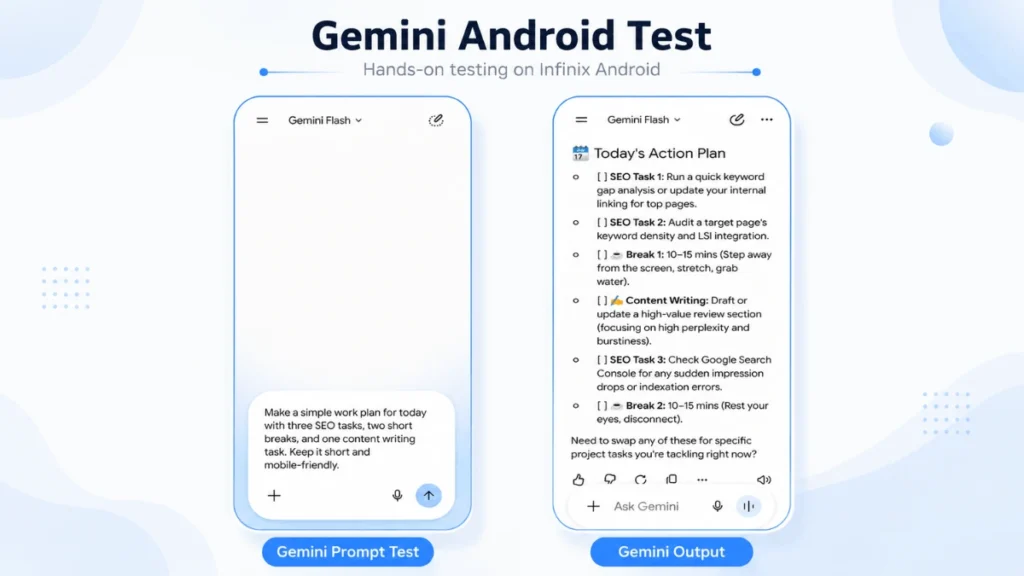
I asked Gemini to create a work plan with 3 SEO tasks, 2 short breaks, and 1 content writing task.
It returned a clean checklist layout that reads well on a phone screen. The plan included keyword analysis, a content writing block, and short break reminders in a structure I could actually follow without re-reading it twice.
One thing I’d flag: terms like “keyword gap analysis” and “related keyword usage” showed up in the output. Fine if you work in SEO, but beginners might need to look those up. The structure itself was fast and practical.
Good for: Android users who want daily planning, quick answers, and Google app integration built in.
Skip if: you’re outside the Google ecosystem or need deep writing help.
ChatGPT — best for writing and creative work
Free plan available. ChatGPT Plus from $20/month.
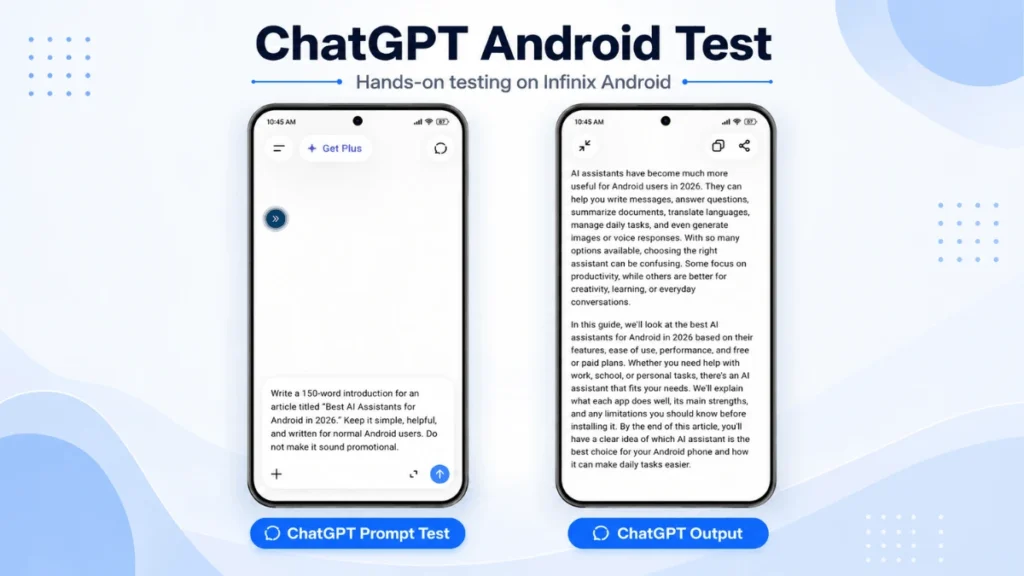
I asked ChatGPT to write a 150-word introduction for this exact article.
The output covered what AI assistants can do on Android: messaging, translation, summarization, and voice responses. I still had to adjust the tone and remove a few generic lines, but it gave me a strong starting point, which is more than most apps managed.
ChatGPT felt most useful for article writing, blog introductions, FAQs, and creative content ideas. For deep Android phone control, look elsewhere.
Good for: bloggers, students, and writers who need a reliable first draft on their phone.
Skip if: you need Android-native features or research with cited sources.
Claude — best for long writing and documents
Free plan available. Claude Pro from $20/month.
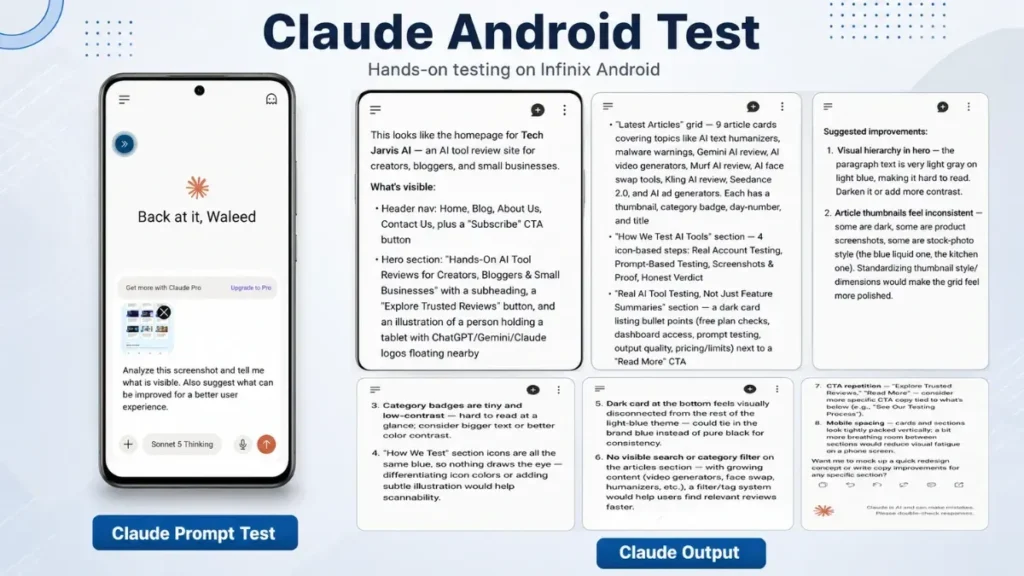
I uploaded a screenshot of my Tech Jarvis AI homepage and asked Claude to describe what it saw and suggest improvements.
It identified the layout correctly: navigation menu, hero section, article grid, testing section, CTA areas. Then, instead of stopping at description, it gave specific suggestions. Better visual hierarchy. More readable text. Standardized article thumbnails. Improved category badge contrast. More mobile spacing.
Getting that much useful feedback from one screenshot surprised me. Most apps either describe what’s there or give vague advice. Claude did both, and the suggestions were specific enough to act on.
The real downside is length. On my Infinix screen, the response ran long enough that I had to scroll through it in chunks. For short-answer tasks, faster apps work better. But for screenshot analysis, document review, and detailed written feedback, Claude stood out more than any other app I tested.
Good for: website feedback, document review, long-form writing, and screenshot analysis.
Skip if: you need quick answers or a lightweight daily assistant.
Perplexity — best for research with sources
Free plan available. Perplexity Pro from $20/month.
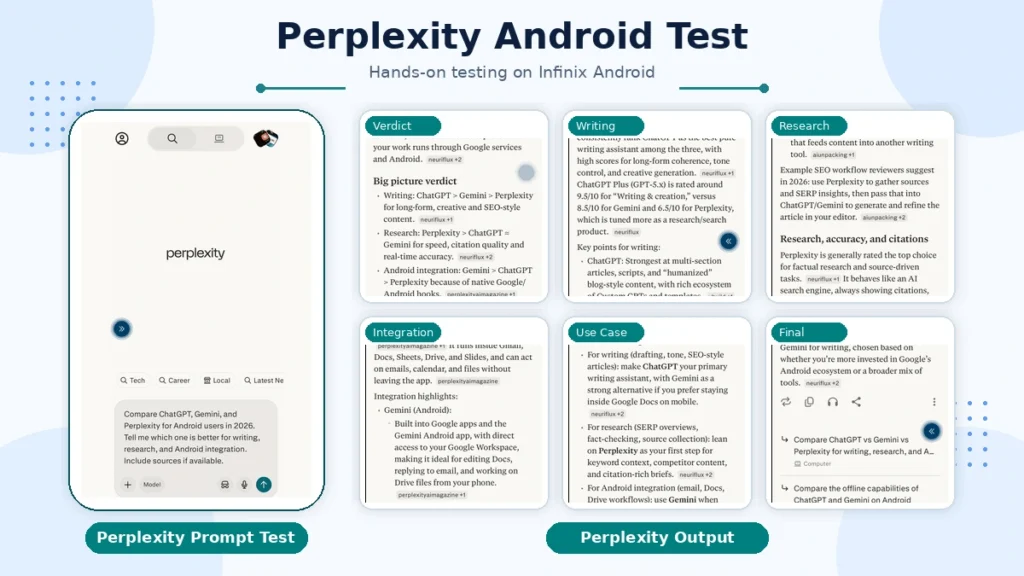
I asked Perplexity to compare ChatGPT, Gemini, and Perplexity for Android users in 2026. The response came with source chips, so I could see exactly where each claim was coming from.
The comparison itself was accurate: ChatGPT stronger for writing, Perplexity better for research and citations, Gemini better for Android and Google integration. That also matches how I’d use them together: Perplexity for research first, then ChatGPT or Claude for writing and polishing.
One thing worth being clear about: don’t copy Perplexity’s output directly into an article without checking the sources manually. Some results come from third-party sites. I’d treat it as a research starting point, not a final source.
Good for: research, finding sources before writing, fact-checking, and comparison work.
Skip if: you need polished writing output or a daily task assistant.
Microsoft Copilot — best for work emails and Microsoft users
Free plan available. Full features via Microsoft 365 from $6.99/month.
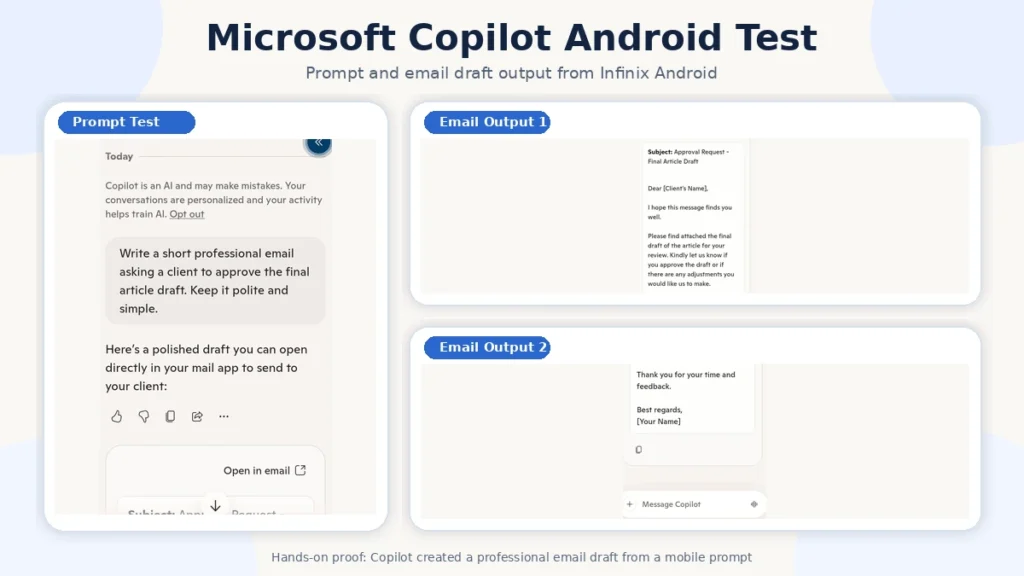
I asked Copilot to write a short professional email asking a client to approve a final article draft. It returned a structured email with a subject line, greeting, clear message, and closing. The output was ready to use with minimal changes.
I also noticed it offered an “Open in email” option, which is a practical touch for people sending quick drafts from their phone. That kind of integration makes more sense if you already use Outlook, Word, Excel, or Microsoft 365.
For article writing, ChatGPT outperformed it in my test. But for professional emails, work messages, and office tasks, Copilot handled everything cleanly.
Good for: Microsoft 365 users who need help with emails, documents, and work messages from Android.
Skip if: you’re outside the Microsoft ecosystem or need writing and research help.
DeepSeek — best free AI assistant
Fully free. No paid plan required.
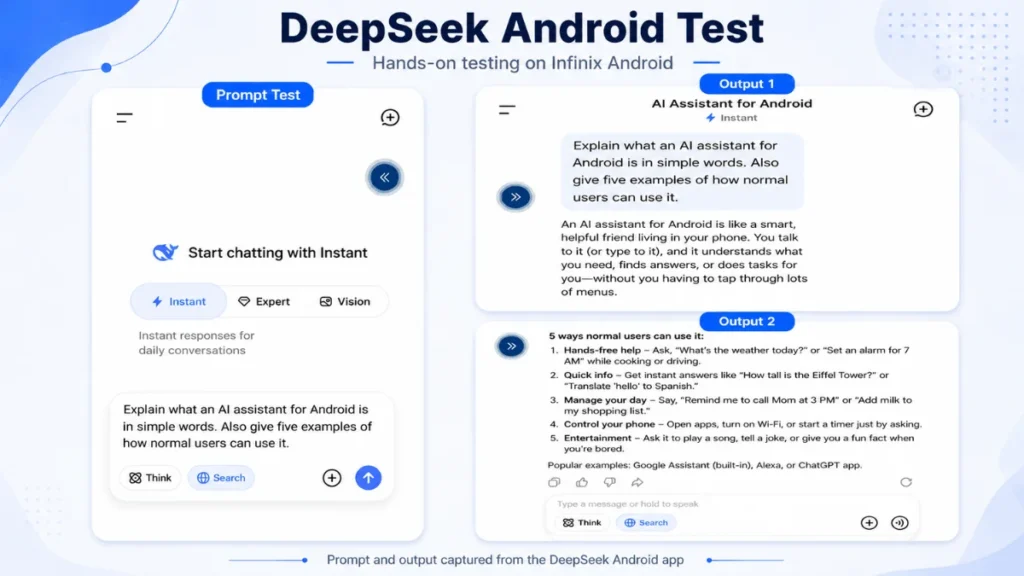
I asked DeepSeek to explain what an AI assistant for Android is in simple words, then give 5 examples of how normal users might use one.
The response was easy to follow. It described an AI assistant as a smart helper inside your phone that can answer questions, understand requests, and help with everyday tasks. The 5 examples covered hands-free help, quick information, day management, some phone control, and entertainment. No jargon, no complicated setup.
One thing worth noting: DeepSeek explained that AI assistants can control phone actions, which is true for some apps in some situations. But full mobile control depends on the specific app, your device, permissions, and region. I’d add that caveat for any readers expecting complete phone automation.
Good for: beginners, simple writing help, and anyone who wants a free AI assistant without a complicated setup.
Skip if: your work involves detailed research, cross-app connectivity, or writing that needs more than basic help.
Grok — best for trending questions and content ideas
Free on X app. X Premium from $8/month for more features.
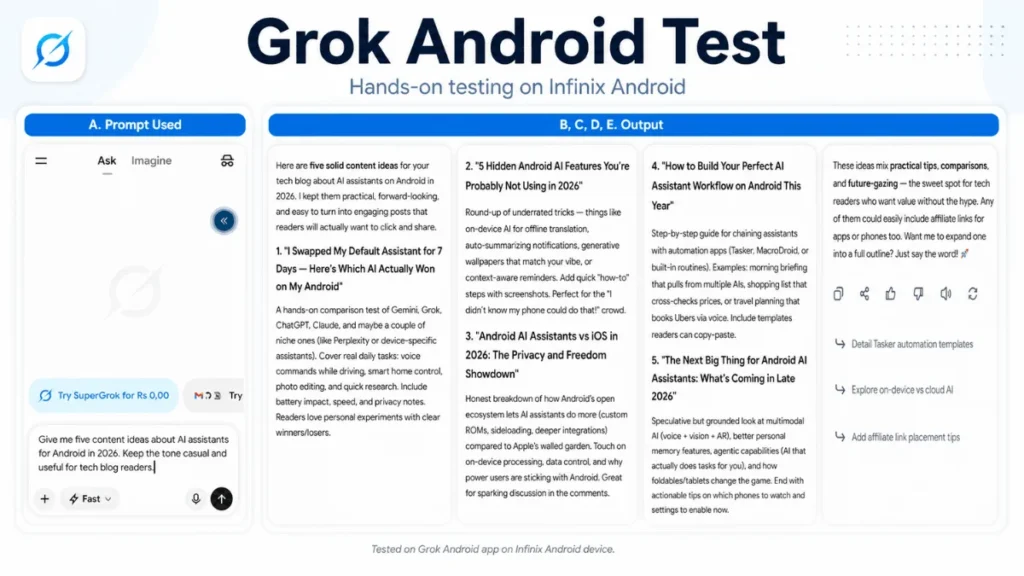
I asked Grok to give me 5 content ideas about AI assistants for Android in 2026.
The suggestions had a casual tech-blog feel: things like “I replaced my default Android assistant for 7 days,” “hidden Android AI features most people skip,” and “building an AI assistant a practical Android AI routine.” Helpful for fresh article ideas and content planning. It also felt stronger on fast-moving or trending topics, which makes sense given its real-time X integration.
One thing I noticed at the end of the response: an affiliate link suggestion. Since Tech Jarvis AI doesn’t do affiliate marketing for this type of content, I removed it. The content ideas themselves were worth keeping.
Good for: content brainstorming, trending topic angles, and casual tech writing ideas.
Skip if: you need research with sources or detailed long-form writing help.
Poe — best multi-model AI app
Free plan available. Poe Pro from $19.99/month.
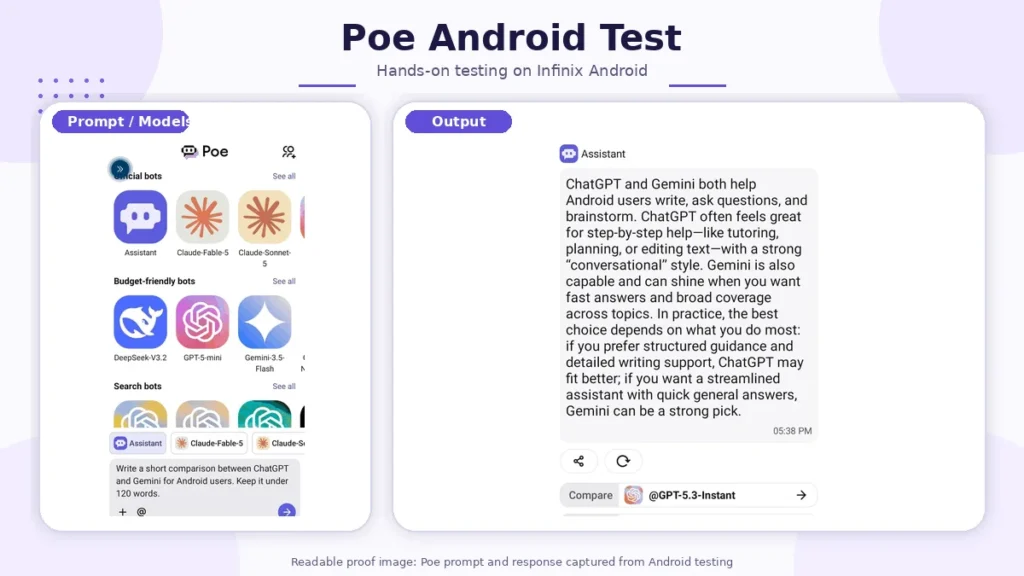
I asked Poe to write a short comparison between ChatGPT and Gemini for Android users.
The answer was balanced and easy to read: ChatGPT better for step-by-step help, tutoring, planning, and editing; Gemini useful for fast answers and general Android support. The response itself was nothing exceptional.
What makes Poe worth including is the setup, not the output. You get access to multiple AI models in one app, including different Claude versions, GPT options, Gemini, and DeepSeek-style bots. Instead of installing 8 separate apps to compare outputs, you do it from one place. It doesn’t feel like a native Android assistant. It’s more of an AI model hub.
Good for: users who want to experiment with different AI models without committing to multiple installs.
Skip if: you already know which assistant you prefer or want a native Android experience.
Best AI assistant by use case
Best overall: Gemini Best for writing: ChatGPT Best for research: Perplexity Best for screenshots and documents: Claude Best free option: DeepSeek Best multi-model app: Poe
Breaking it down a bit more:
For article writing: ChatGPT for clean first drafts; Claude for longer pieces or detailed feedback.
For research: Perplexity. The source chips make it easier to verify claims before you publish.
For voice commands: Gemini. On my Infinix phone, it was the only app where voice input felt like a natural part of using Android rather than a separate feature I had to open.
For Android integration: Gemini. Works naturally with Google apps, contacts, and calendar.
For image and screenshot analysis: Claude. It named actual UI elements and gave actionable fixes, not a general description.
For students: ChatGPT or DeepSeek. Clear explanations, beginner-friendly outputs.
What these AI assistants cannot do
Worth being clear about this before you download anything:
- Most can’t fully control your Android phone. Real device control depends on permissions, your device model, and which app you’re using.
- None of them replace manual fact-checking for published content. Perplexity is the most transparent about sources, but those still need verification.
- They all need editing before publishing. Some need less than others. None are publish-ready on the first try.
- Free tiers have limits. Response length, speed, and features vary between free and paid plans, and those limits change often.
Final recommendation
If I had to pick one app for a friend getting started on Android, it would be Gemini. Google Calendar, Gmail, daily tasks — it fits into that workflow without any setup friction.
For content work, I’d use ChatGPT to write and Perplexity to dig up sources first. Running both together saved me time on every article I tested. They work well together.
For anything involving screenshots, documents, or detailed written feedback, reach for Claude.
If you want to try multiple AI models without installing separate apps, Poe handles that in one place.
FAQs
Which is the best AI assistant for Android in 2026?
Gemini. It runs on top of Google Assistant, so tasks like setting reminders, checking calendar, or searching feel native rather than bolted on. If content writing is your main use case, ChatGPT is the one I’d pick first.
What is the best free AI assistant for Android?
DeepSeek is the easiest free option for beginners. Gemini also has a solid free tier, especially if you’re already using Google apps. Both are worth trying before paying for anything.
Is ChatGPT better than Gemini on Android?
For writing, yes. For daily Android tasks and Google integration, Gemini wins. They’re built for different things, so the better question is what you’re actually trying to do.
Can AI assistants fully control my Android phone?
Most can’t. Full phone control depends on the app, your device, the permissions you’ve granted, and your region. Gemini has the most native Android integration, but even it has limits. None of them are set-it-and-forget-it tools.
Which AI assistant is best for article writing on Android?
ChatGPT for clean first drafts. Claude if you need longer pieces or want detailed feedback on structure and content. Both need editing before publishing.
Which AI assistant is best for research on Android?
Perplexity. It shows you where the information is coming from, which makes it easier to verify before you use it. Treat it as a starting point, not a final source.
Which AI assistant is best for voice commands on Android?
Gemini, by a clear margin. On my Infinix phone, it was the only app where voice input felt like a natural part of using Android rather than a separate feature I had to open. The Google Assistant backbone makes a real difference for hands-free tasks.