

Tested by Waleed | Windows laptop • Google Chrome • July 2026 • Free plans only
DeepSeek is impressive when it works. My coding result was one of its best answers across the entire test.
But consistency was the real problem.
During the writing test, it answered a completely different question about privacy instead of rewriting my paragraph. During the research test, it returned content from the previous task. Two out of four prompts failed because it lost track of the conversation.
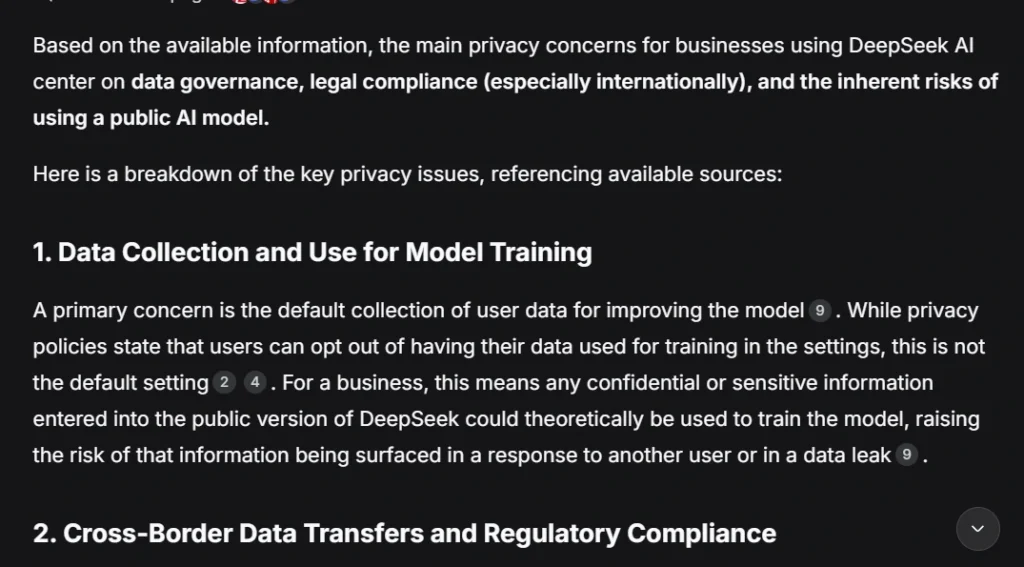
Privacy is a separate concern. DeepSeek’s policy says personal data is collected, processed, and stored in the People’s Republic of China. If you handle customer records, contracts, or internal business data, that deserves a careful read before you use it.
So I ran the same 4 prompts on 5 major alternatives, on free plans only, and scored each one.
Quick Answer
- Best overall: Claude (4.4/5 average, strongest research and writing)
- Best balanced pick for daily work: ChatGPT
- Best for concise coding: Gemini
- Best for fast research summaries: Perplexity AI
- Best for current topics: Grok
My Test Results
| Tool | Best For | Reasoning | Writing | Coding | Research | Average |
|---|---|---|---|---|---|---|
| Claude | Overall quality, long writing | 4/5 | 4.5/5 | 4.5/5 | 4.5/5 | 4.4/5 |
| ChatGPT | Everyday work, balanced answers | 4/5 | 4.5/5 | 4.5/5 | 4/5 | 4.3/5 |
| Google Gemini | Concise coding, Google users | 4/5 | 4.5/5 | 4.5/5 | 4/5 | 4.3/5 |
| Grok | Current topics, content ideas | 4/5 | 4.5/5 | 4/5 | 4/5 | 4.1/5 |
| Perplexity AI | Fast research summaries | 3.5/5 | 4.5/5 | 4/5 | 4/5 | 4.0/5 |
| DeepSeek | Free coding, quick ideas | 4/5 | 1/5 | 4.5/5 | 1/5 | 2.9/5 |
These scores came from my own testing. I used the same task for every tool and scored based on what I actually received, including failures and ignored instructions.
Free Plans and Pricing
| Tool | Free Access | Paid Plan |
|---|---|---|
| DeepSeek | Yes | Main chat is free. API billing is separate. |
| ChatGPT | Yes | Plus costs $20/month |
| Claude | Yes | Pro costs $20/month, or $17/month billed annually |
| Gemini | Yes | Usage depends on model, prompt length, and complexity |
| Perplexity | Yes | Basic searches practically unlimited. Pro Searches very limited on free. |
| Grok | Yes | SuperGrok costs $30/month |
Pricing changes often. Check your account page before paying, especially when converting to local currency.
How I Tested These Tools
I tested each tool in July 2026 on a Windows laptop using Google Chrome, free plans only.
Every tool got the same 4 tasks:
- A small-business reasoning problem (30-day sales plan, zero paid ads)
- A paragraph rewriting task (plain language rewrite)
- A beginner Python coding task (return even numbers from a list, with comments)
- A DeepSeek business privacy research question
I scored instruction-following, clarity, accuracy, usefulness, and source quality. A polished answer still lost points if it ignored the prompt or made claims without sources.
Why Look for a DeepSeek Alternative?
DeepSeek has real strengths. The coding response was practical, beginner-friendly, and correct. The reasoning response gave ready-to-use email templates.
The problem showed up in tasks 2 and 4.
For the writing test, DeepSeek returned a detailed answer about business privacy instead of rewriting my paragraph. For the research test, it rewrote text from the previous task. Both failures happened because it mixed up conversation context, not because it lacked knowledge.
For anyone using AI in work that involves switching between different tasks, that’s a serious reliability issue.
Privacy adds another layer for business users. DeepSeek’s policy states it directly collects, processes, and stores personal data in China. Companies operating under GDPR, client confidentiality rules, or internal security policies should review that before entering sensitive information.
DeepSeek Test Results: The Baseline
General reasoning — 4/5
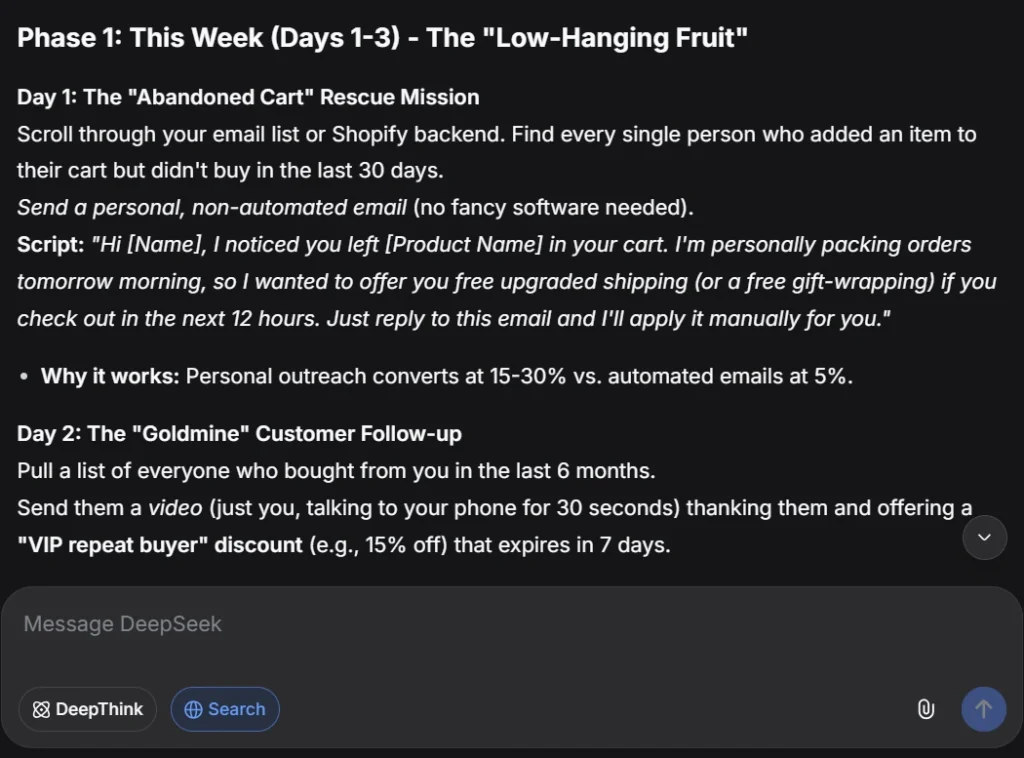
I asked DeepSeek to create a 30-day sales plan for a small business without paid ads.
The answer covered abandoned-cart emails, customer follow-ups, product bundles, Pinterest posts, and cross-promotions. It included ready-to-use email and DM examples, which was a genuine plus.
Two issues: it assumed the business used Shopify and already had an email list. Some statistics appeared without sources.
Writing quality — 1/5
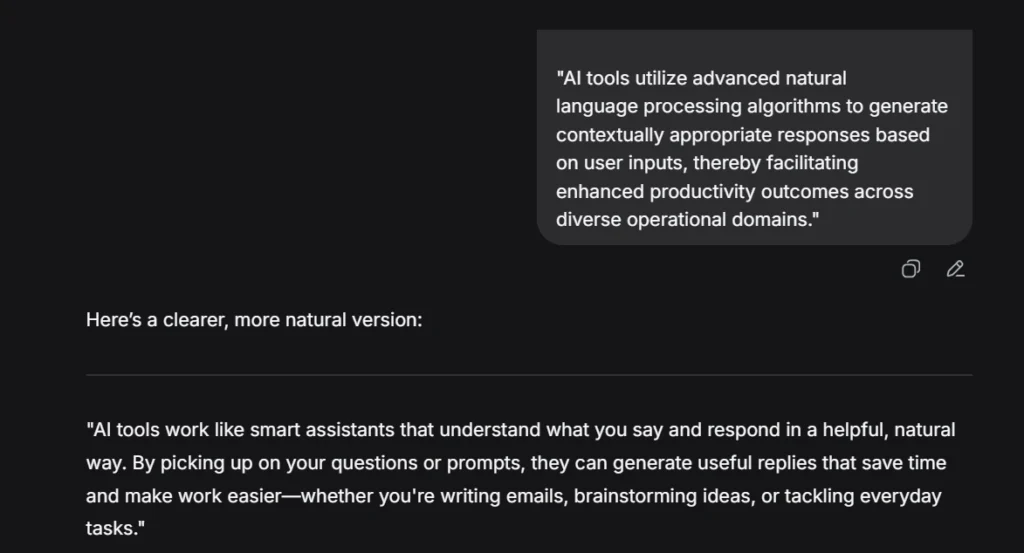
DeepSeek failed this one. It returned a detailed answer about business privacy risks instead of rewriting the paragraph I gave it.
The response had plenty of content. None of it addressed what I asked. I would have needed to resend the prompt or open a fresh chat.
Coding — 4.5/5
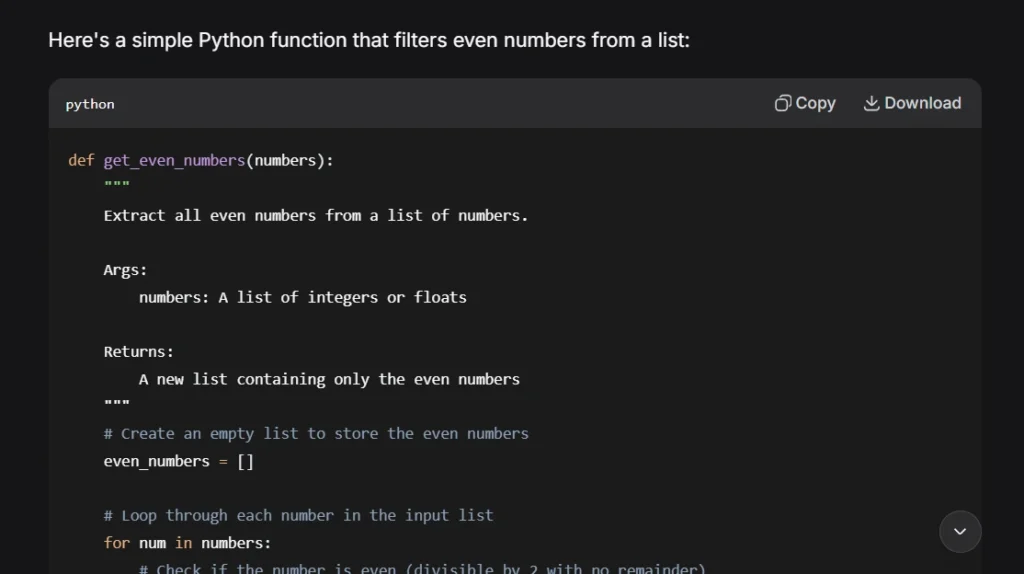
DeepSeek wrote a correct Python function, added comments on the main steps, and included a clear example with expected output.
It also added a second version and extra examples. The main code was accurate and easy for a beginner to follow.
Research — 1/5
DeepSeek lost the new prompt entirely and rewrote text from the previous task.
The paragraph was readable. It had nothing to do with privacy and contained no sources.
DeepSeek pros and cons
Pros
- Free web access
- Strong result in my beginner coding test
- Practical marketing ideas with ready-to-use examples
Cons
- Lost conversation context twice in 4 tests
- Failed a basic rewriting instruction
- Research response contained no sources
- Business users must review its data policy carefully
1. Claude: Best Overall DeepSeek Alternative
Claude finished first with an average score of 4.4/5.
The writing sounded natural, the code worked, and the privacy research answer covered more useful detail than any other tool in this test. It stayed consistent across all 4 tasks, which was the main thing DeepSeek couldn’t do.
General reasoning — 4/5
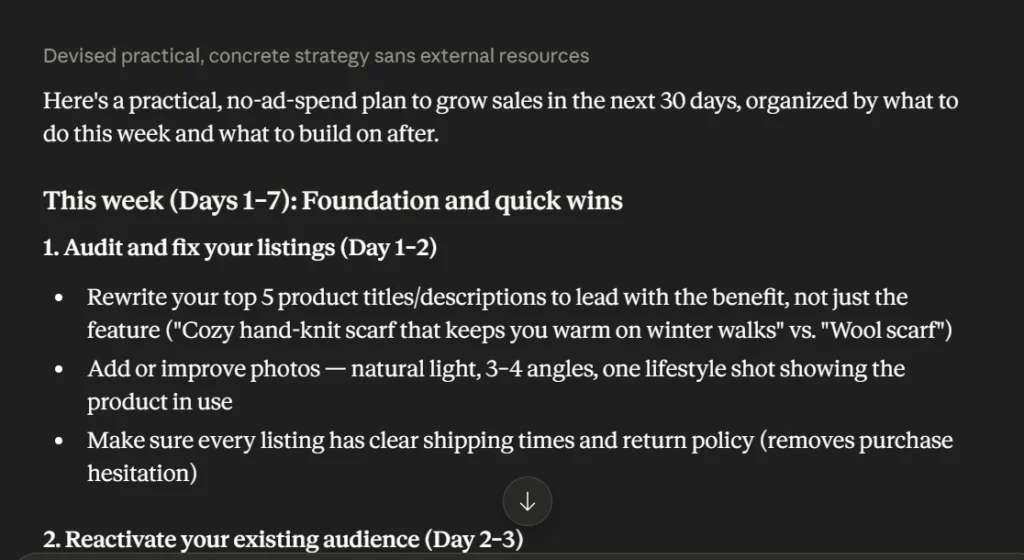
Claude built a practical 30-day plan around product listings, past customers, regular posting, and referrals. Specific and easy to act on.
A few suggestions included giveaways, discounts, and influencer trades. Those ideas carry cost, so they didn’t fully follow the zero-spend condition. It also ended by asking which platform I use, which would make the plan more specific but left it slightly incomplete.
Writing quality — 4.5/5
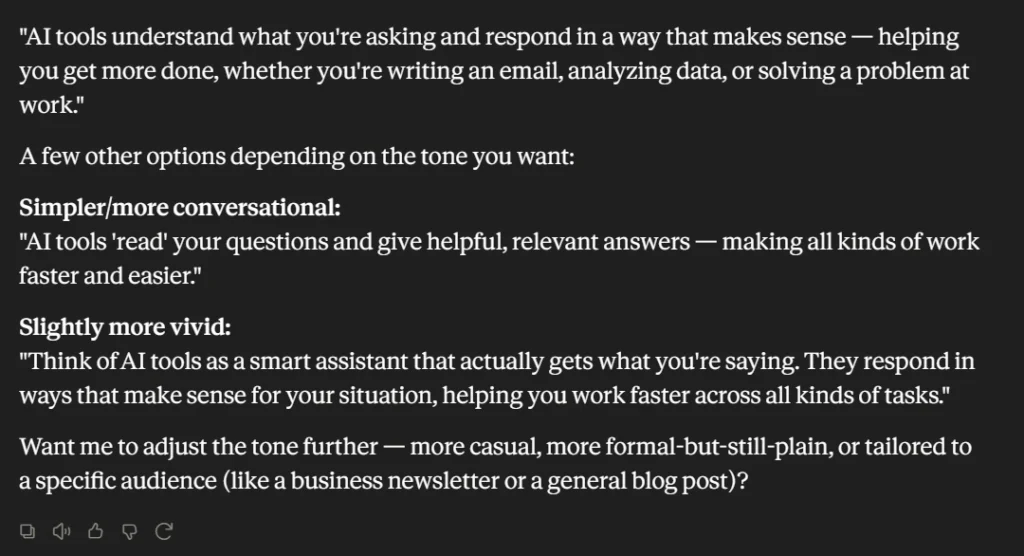
Claude rewrote the paragraph in clear language, kept the original meaning, and the result sounded like normal human copy.
It also gave a few tone variations without making the response feel padded. The first version was already enough.
Coding — 4.5/5
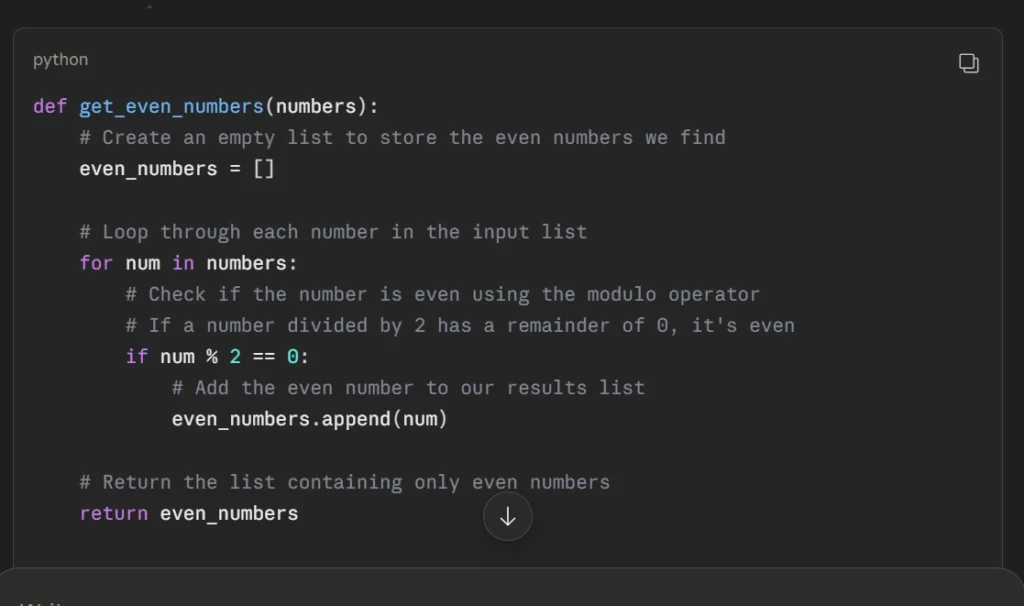
The Python function worked. Comments explained the logic clearly. Claude added a shorter list-comprehension version, which was a useful bonus.
One small issue: “python” appeared joined to the function definition due to a formatting glitch. The logic was correct.
Research — 4.5/5
This was the strongest research answer in the entire test.
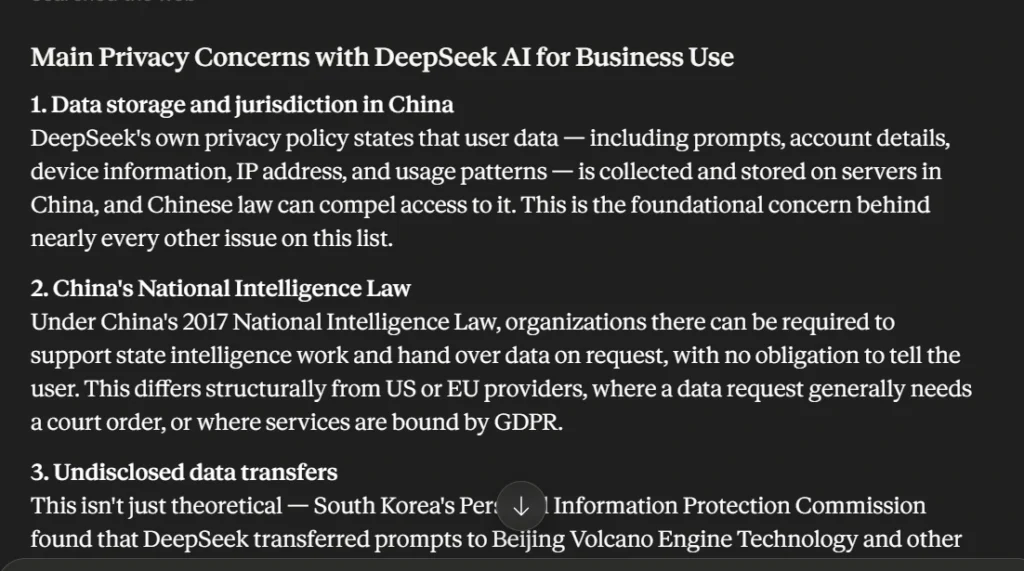
Claude covered data storage in China, compliance questions, business data exposure, security reports, and practical steps to reduce risk. It also admitted that some sources were commercial security blogs rather than official reports, something most AI tools don’t bother mentioning.
Several serious claims still need checking against DeepSeek’s official policy and original security reports before publishing.
Claude vs DeepSeek
Claude followed all 4 prompts and kept each task separate. DeepSeek mixed up 2 of 4.
For writing specifically, Claude preserved the original meaning and the result read naturally. DeepSeek answered the wrong question entirely.
Claude pros and cons
Pros
- Best average score in this test
- Natural, human-sounding rewrites
- Clear beginner-friendly code
- Strongest research response
- Honest about its own source quality
Cons
- Free-plan daily limits
- Some answers ran longer than needed
- A few zero-budget suggestions still had cost implications
Best for: Writers, researchers, document work, anyone who needs consistent instruction-following.
2. ChatGPT: Best Balanced Choice
ChatGPT scored 4.3/5 and handled all 4 tasks without a single failure.
It wasn’t the strongest on any individual task, but it was reliable across all of them, which matters more for daily use than being excellent at one thing.
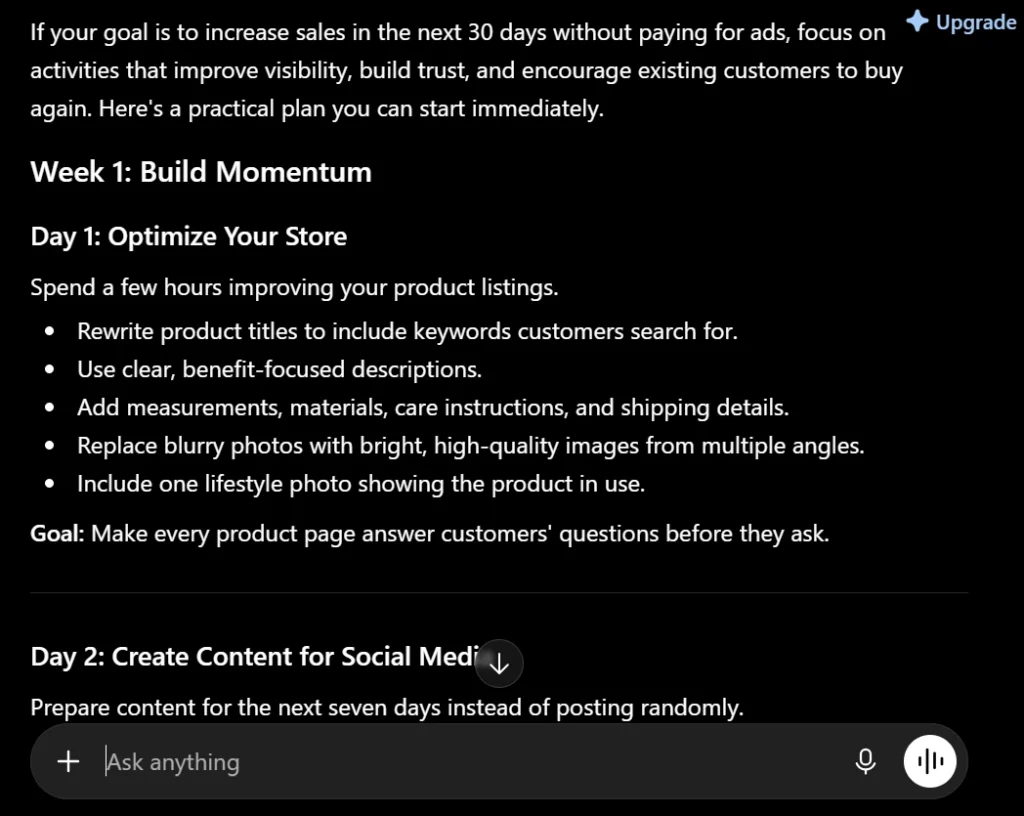
General reasoning — 4/5
ChatGPT created a day-by-day plan covering product pages, social posts, customer reviews, email, and weekly tracking. More channels than DeepSeek’s response.
Two suggestions involved sending free products to influencers and offering free shipping, both of which carry cost. I’d cut those from a strict zero-spend plan. The structure was sensible, just longer than necessary.
Writing quality — 4.5/5
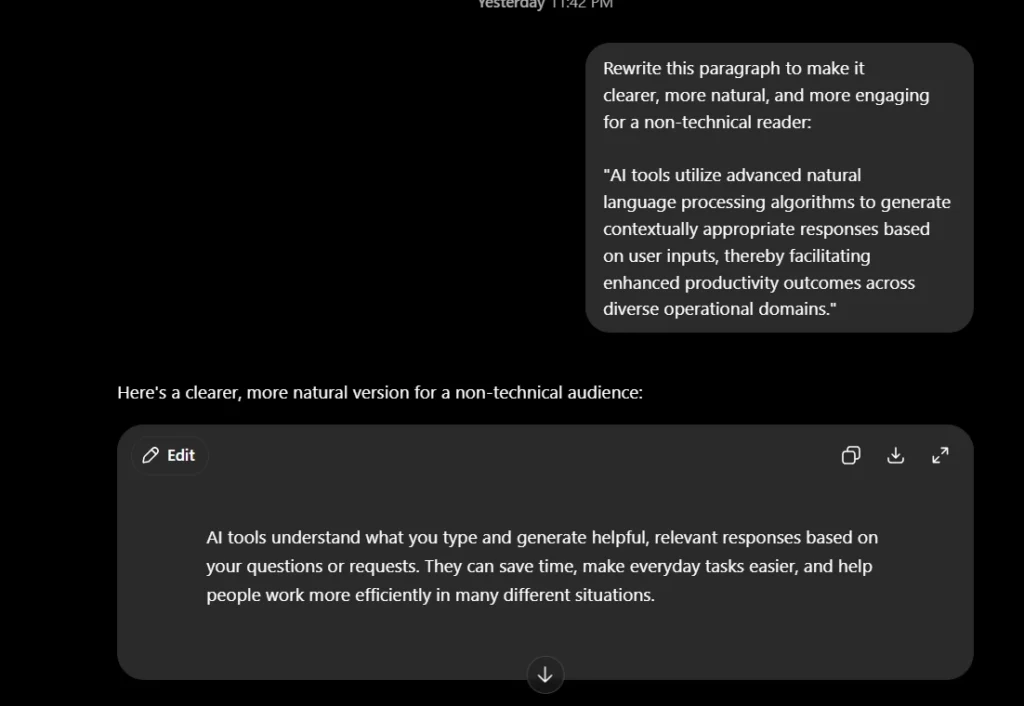
It simplified the paragraph without changing the meaning. Short, clear, and readable by anyone. It stayed brief instead of overexplaining the rewrite.
Coding — 4.5/5
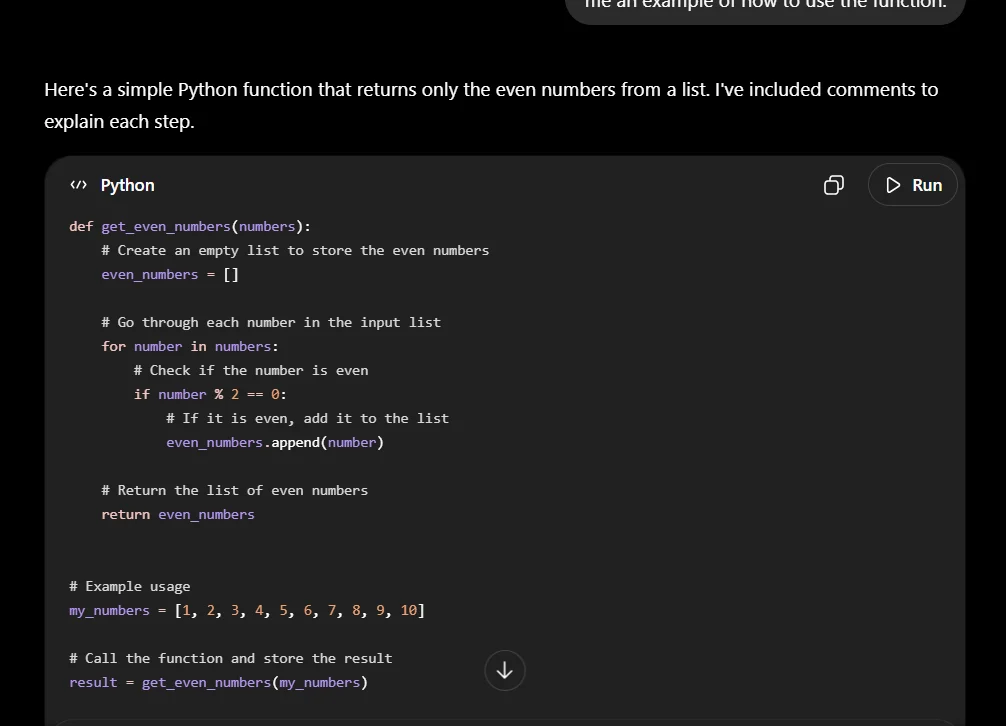
The function worked, comments were clear, and the example returned the correct output. It included a shorter version, though the first was better for a beginner.
Research — 4/5
ChatGPT covered DeepSeek’s main privacy risks: Chinese data storage, model training concerns, regulatory questions, and the risk of employees entering confidential information through prompts.
It mentioned policies and regulatory actions without direct source links. I’d verify those before publishing.
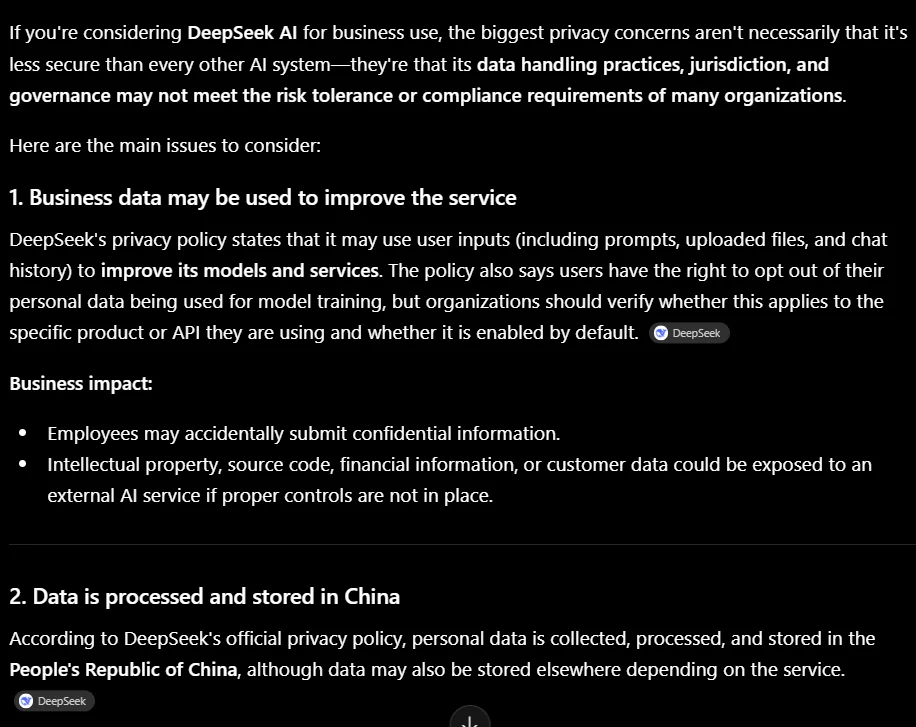
ChatGPT vs DeepSeek
ChatGPT was far more reliable on writing and research. It understood each prompt and returned the requested format.
On coding, both tools scored 4.5/5. ChatGPT handled the full test more smoothly.
ChatGPT pros and cons
Pros
- Consistent across all 4 task types
- Strong rewriting
- Correct, readable code
- Good structure for plans and instructions
- Free plan available
Cons
- Writes more than the task sometimes needs
- Some advice broke the zero-spend condition
- Research lacked direct source links
- Free access limits change periodically
Best for: General daily work, writing, planning, coding help, anyone who wants one AI for several different tasks.
3. Google Gemini: Best for Concise Coding Help
Gemini scored 4.3/5 and gave the cleanest, most focused coding response in the test.
It kept answers short and on-topic, which is actually harder than it sounds. The main weakness was presentation in the reasoning response.
General reasoning — 4/5
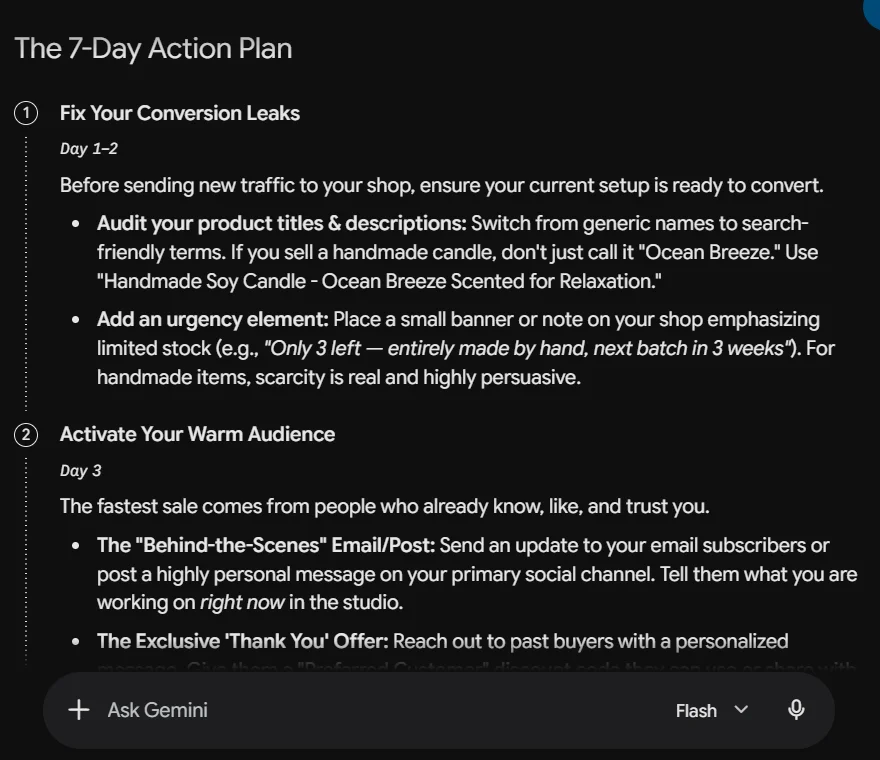
Gemini focused on product-page improvements, past customers, short videos, and partnerships with other small businesses. Specific enough to act on.
The no-spend condition wasn’t fully respected (influencer gifting, giveaways). The response formatting was also poor — dense blocks of text with no spacing made it hard to scan.
Writing quality — 4.5/5
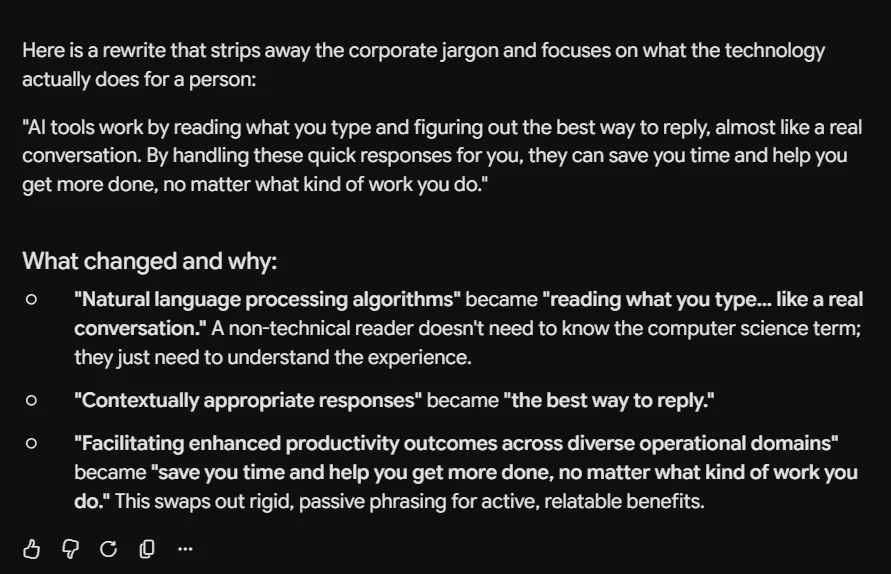
Clear rewrite, easy to read, meaning intact. It added a brief explanation of what it changed. The rewrite itself already answered the prompt, so the explanation was a bonus rather than padding.
Coding — 4.5/5
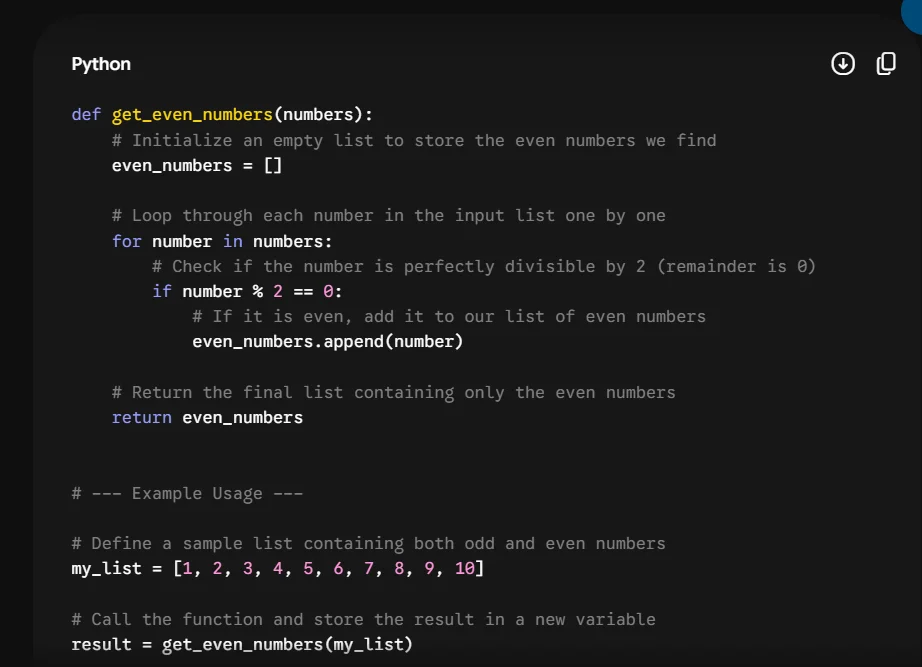
Correct Python function, clear step-by-step comments, expected output shown.
Gemini didn’t pile on extra versions or alternatives, which made it the easiest coding response to follow. For a beginner copying code, that focus matters.
Research — 4/5
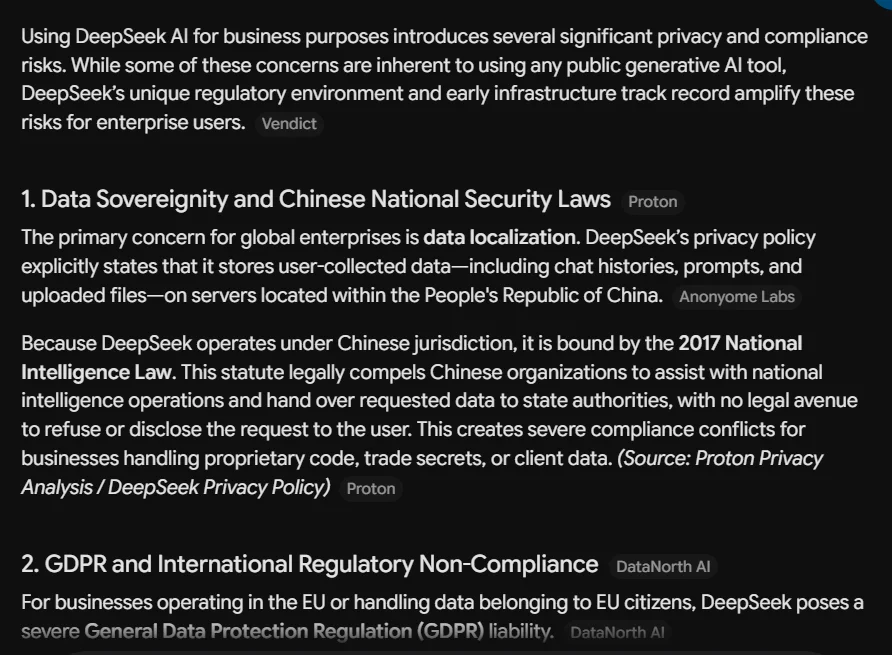
Covered Chinese data storage, GDPR questions, retention, and past security issues. Named sources without direct links. Legal claims needed checking against DeepSeek’s policy and regulator pages before using them.
Gemini vs DeepSeek
Gemini followed the writing and research instructions correctly. DeepSeek lost track of both tasks.
On coding, both scored 4.5/5. Gemini’s answer was shorter and easier to copy.
Gemini pros and cons
Pros
- Cleanest coding response in the test
- Natural rewriting
- Focused, concise answers
- Works well for users already in Google’s apps
- Free access available
Cons
- Reasoning response had poor text spacing
- Some advice broke the zero-spend condition
- Research sources named but not linked
- Usage limits depend on model and prompt complexity
Best for: Coding tasks, plain-language rewrites, Google users, and anyone who wants answers without the extra.
4. Grok: Best for Current Topics and Content Ideas
Grok scored 4.1/5.
The writing result was strong and the reasoning plan was easy to follow. It felt slightly less specific than the top 3, and a formatting issue showed up in the code block.
Its free plan includes limited real-time web and X search, which gives it a natural edge for tasks tied to current online discussion.
General reasoning — 4/5
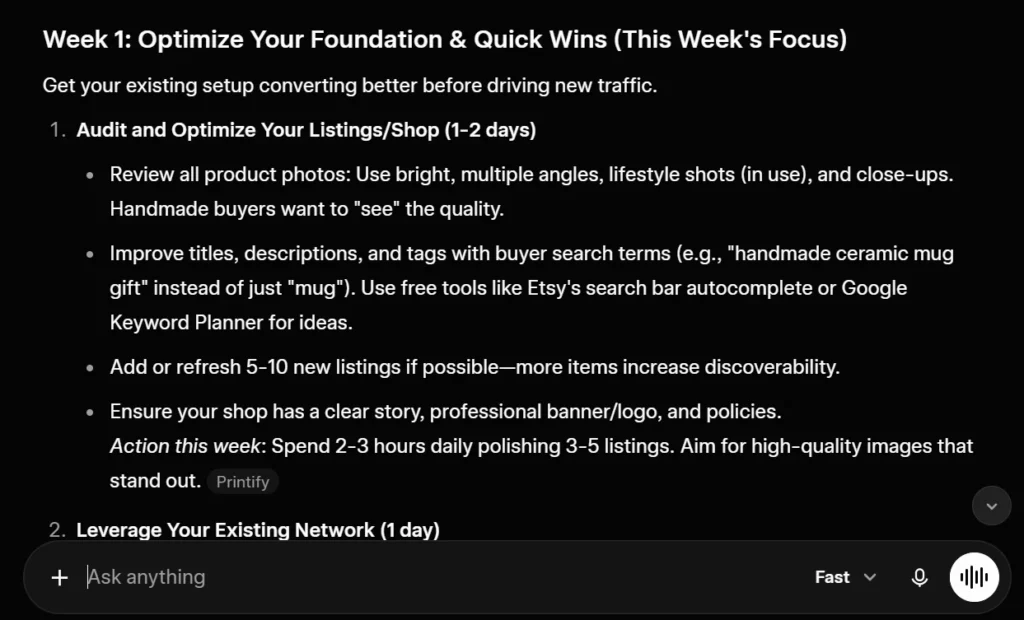
Grok covered product listings, social media, email, and customer outreach. Practical and realistic.
The plan included discounts and free gifts, which didn’t match the zero-spend requirement. The advice also felt less specific than DeepSeek’s day-by-day breakdown.
Writing quality — 4.5/5
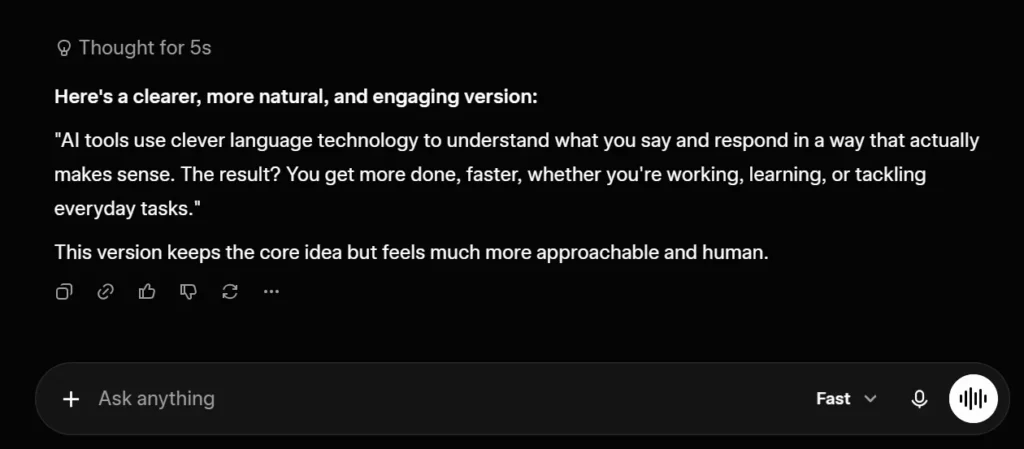
Made the paragraph shorter and easier to read without losing the point. “Clever language technology” was slightly promotional, but the rewrite was clean overall.
Coding — 4/5
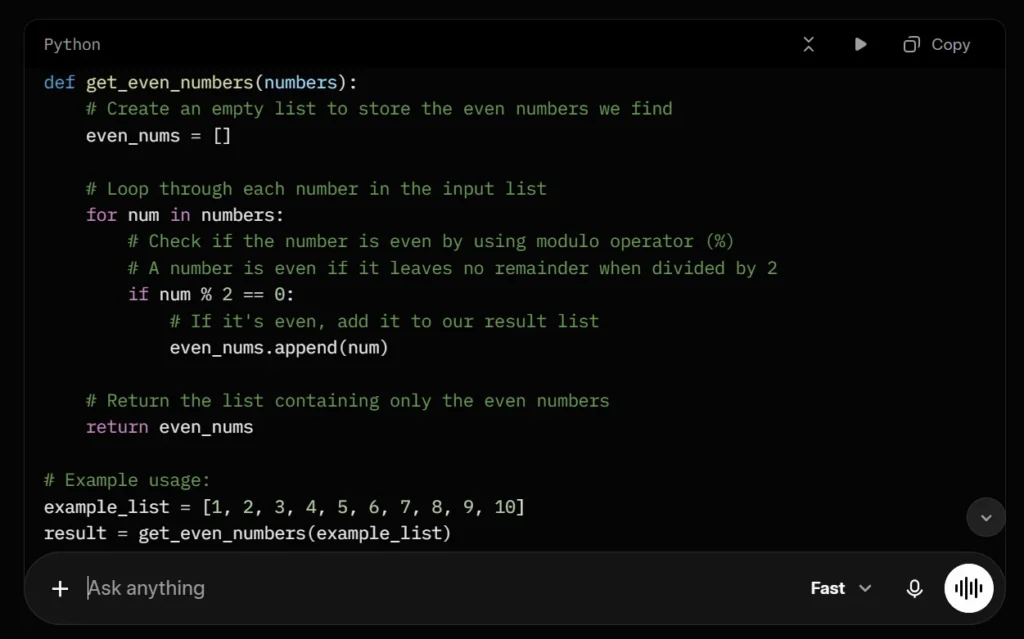
The function worked and the even-number example returned the correct output. Grok added a list-comprehension version, which was useful.
One formatting issue: “Python” and “def” appeared joined in a few places. A beginner copying the code would need to fix that manually.
Research — 4/5
Covered Chinese data storage, broad data collection, compliance risks, and security concerns. Explained why those points matter specifically to businesses handling confidential information.
Sources were listed by name only, no URLs, so I’d verify each one before using any claim.
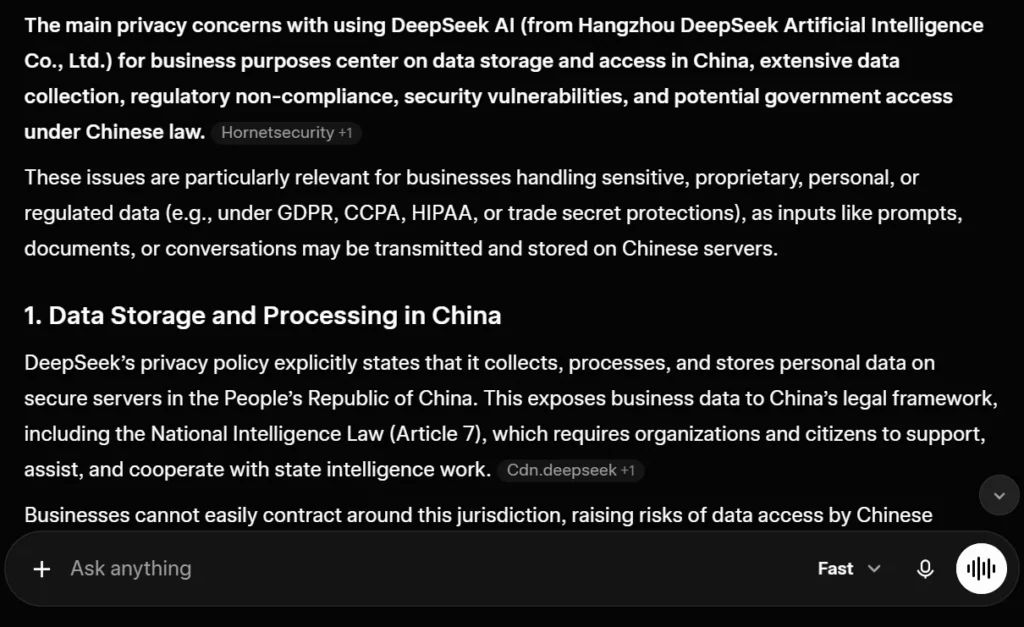
Grok vs DeepSeek
Grok was more consistent across writing and research. DeepSeek failed both tasks by carrying wrong context forward.
DeepSeek’s code display was cleaner. Grok has the better fit for questions tied to current online discussion.
Grok pros and cons
Pros
- Strong rewriting result
- Clear business reasoning plan
- Real-time web and X search on free plan
- Correct coding logic
- Fast responses
Cons
- Some advice felt generic
- Formatting issue in the code block
- Research sources not directly linked
- Zero-spend condition not fully followed
Best for: Current topics, content ideas, social discussion, quick general questions.
5. Perplexity AI: Best for Fast Research Summaries
Perplexity scored 4.0/5.
Answers were easy to scan, and the research response was well-organized. The biggest surprise: source names appeared without usable links, which is the opposite of what you’d expect from a research-focused tool.
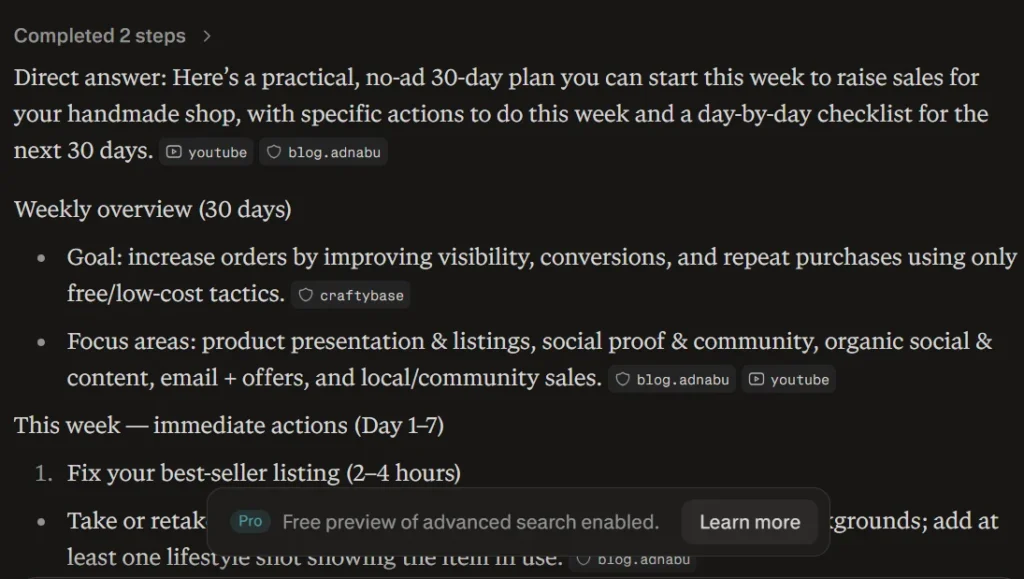
General reasoning — 3.5/5
Detailed plan with useful steps and ready-to-use message examples. The outreach templates were a genuine plus.
But Perplexity added “Hyderabad, Sindh” to the response without me mentioning my location. Several suggestions involved discounts, samples, and freebies. And it claimed to cite sources without showing actual references.
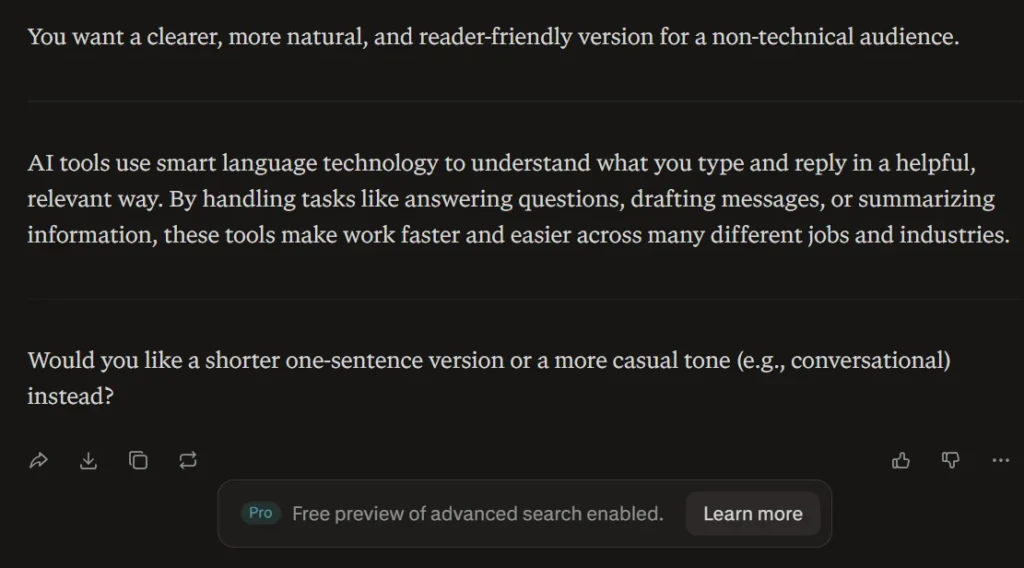
Writing quality — 4.5/5
Simplified the paragraph, kept the meaning, read naturally. “Smart language technology” was slightly vague, but the overall result was clean.
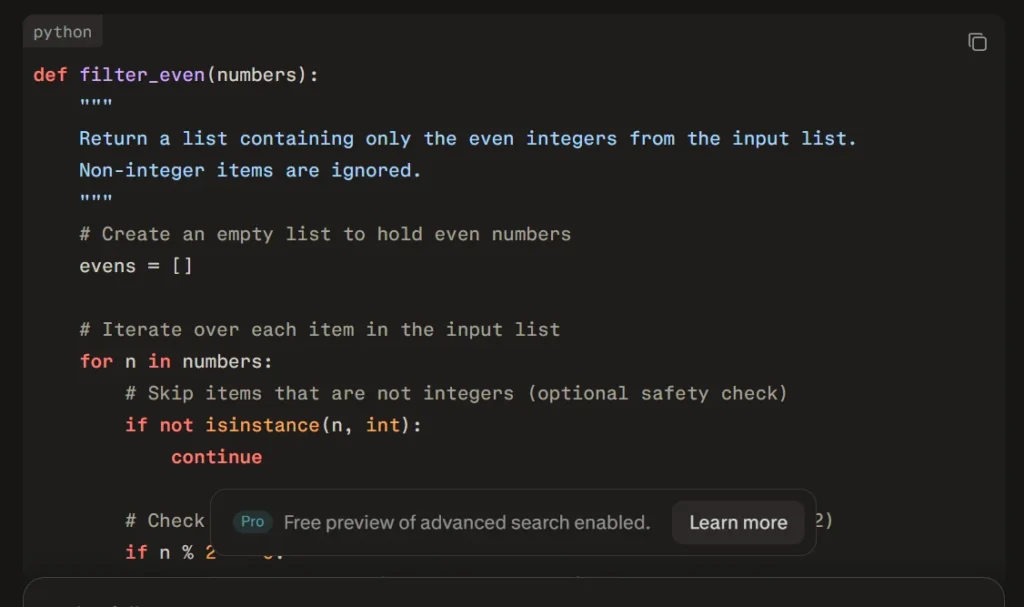
Coding — 4/5
The code worked and the comments were readable. Perplexity added a check that ignored non-integer values, which I hadn’t asked for. It slightly changed the scope of the task.
Research — 4/5
Covered Chinese data storage, broad collection, compliance questions, and earlier security concerns. One of the easier answers to scan.
The reference section listed source names without direct links. Every claim still needed to be found and verified separately.
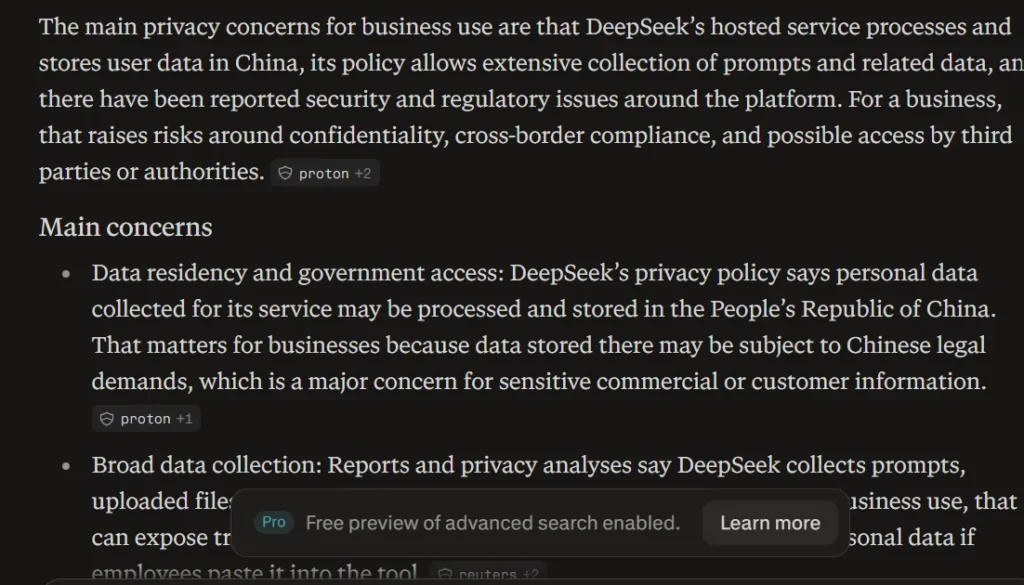
Perplexity vs DeepSeek
Perplexity handled the research prompt correctly and kept the answer organized. DeepSeek returned content from the previous task.
DeepSeek scored higher on the coding prompt. Perplexity added unrequested behavior that slightly changed the output.
Perplexity pros and cons
Pros
- Easy-to-scan research answers
- Good rewriting result
- Ready-made outreach examples
- Practically unlimited basic searches on free plan
Cons
- Added a location I didn’t provide
- Added unrequested coding behavior
- Source names appeared without direct links
- Free Pro Searches are very limited
Best for: Quick research, topic discovery, question answering, people who prefer scannable answers.
Which DeepSeek Alternative Should You Choose?
Choose Claude for the best overall result. It was the most consistent tool in the test and gave the strongest writing and research answers.
Choose ChatGPT for mixed daily work. It handled all 4 tasks well and gave the best balance across planning, writing, and code.
Choose Gemini for concise coding help and anyone already using Google’s apps.
Choose Perplexity when you want a fast research starting point. Open and verify every source before publishing.
Choose Grok for current topics, online discussion, and quick content angles.
DeepSeek still makes sense for free coding tests and quick idea generation. Open a fresh chat when switching between unrelated tasks, and keep sensitive business material out of public AI chats.
Are Free DeepSeek Alternatives Really Free?
All 5 tools have free access, but the limits work differently.
ChatGPT and Claude both hit daily usage limits during extended testing. Gemini calculates usage from the model, prompt complexity, and conversation length. Perplexity gives practically unlimited basic searches with very limited Pro Searches on the free plan. Grok rate-limits heavy use within a short window.
Check the usage screen inside your account for the current limit that applies to you. Fixed numbers like “20 prompts per day” go stale fast.
DeepSeek Privacy for Business Users
DeepSeek’s current privacy policy states that personal data is collected, processed, and stored in the People’s Republic of China.
For companies working under GDPR, client confidentiality rules, contractual data restrictions, or internal security policies, that creates real questions worth answering before use.
Keep customer records, passwords, unreleased code, legal files, medical information, and trade secrets out of public AI chat tools. A business or enterprise plan with clear retention and training controls is a better fit for sensitive work.
Frequently Asked Questions
What is the best DeepSeek alternative in 2026?
Claude was the best overall option in my test with an average score of 4.4/5. It performed well across reasoning, writing, coding, and research.
What is the best free alternative to DeepSeek?
ChatGPT is the most balanced free choice for general use. Claude is stronger for writing and research. Gemini gave the cleanest coding answer.
Which AI is better than DeepSeek for writing?
Claude, ChatGPT, Gemini, Grok, and Perplexity all scored 4.5/5 in the rewriting test. Claude gave the best overall combination of natural wording and consistency across other tasks.
Which DeepSeek alternative is best for coding?
ChatGPT, Claude, and Gemini each scored 4.5/5 in the beginner Python test. Gemini gave the most focused answer. DeepSeek also scored 4.5/5 for coding, so it remains one of its stronger uses.
Which tool is best for research?
Claude gave the strongest research answer. Perplexity was easier to scan, but its reference list didn’t include direct links in the answer I received.
Can I use DeepSeek for business data?
Read the privacy policy and your company’s data rules before using it. DeepSeek states that personal data is processed and stored in China. Avoid entering confidential client or company information into the public chat.
How do DeepSeek’s free plan limits compare to alternatives?
DeepSeek’s main web chat is free with no hard daily cap in standard use. ChatGPT and Claude both have daily free limits. Gemini’s limits depend on usage patterns. Perplexity’s basic searches are practically unlimited. Grok’s free tier has rate limits during heavy use.
Final Verdict
Claude is my top DeepSeek alternative for 2026. It followed every prompt, wrote naturally, produced correct code, and gave the most detailed and honest research answer.
ChatGPT is the safer all-purpose pick if you want one tool that handles everything without surprises. Gemini is worth bookmarking specifically for coding.
DeepSeek has real strengths, but two 1/5 scores in a 4-prompt test is a reliability problem. Any of the 5 alternatives above will serve you better when consistency matters.