

Introduction
Why Vmake Stands Out in 2026
You need videos fast: social media clips, product ads, UGC content: but you don’t want to learn a new tool every time the platform changes.
Vmake (now officially rebranded as Vmake Labs) has grown into something bigger than a basic online video editor. I tested it across five workflows over a week, and here’s the honest breakdown.
Quick Overview of Vmake’s Core Capabilities
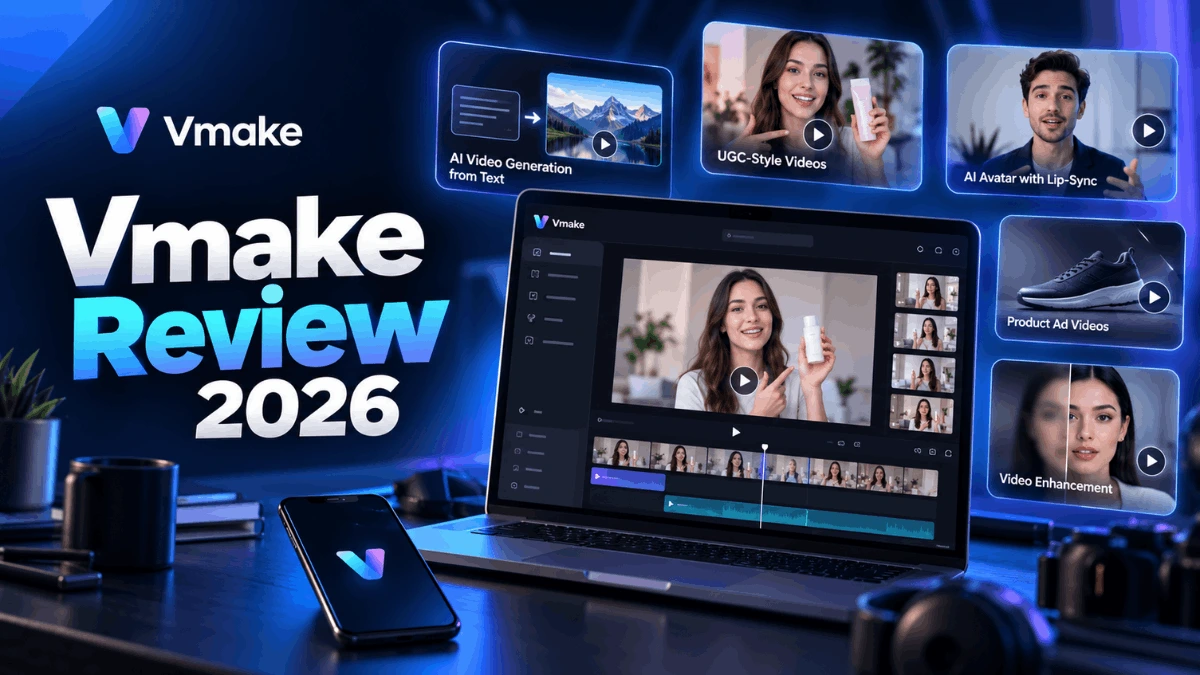
Vmake now combines a wide range of generation, enhancement, UGC and social-video tools in one platform. That includes AI video generation across multiple models, video and image enhancement, UGC creation, AI avatars with lip sync, watermark removal, background removal, creative ad generation, an AI Agent for content workflows, and video translation.
What This Review Covers
I’ll cover what Vmake actually does in 2026, what changed since its earlier version, current pricing, hands-on test results, real user feedback, and how it compares to CapCut and InVideo.
What is Vmake? Overview and Key Features
Vmake is an AI-powered social video platform. You can generate videos from text or images, enhance existing footage, create UGC-style ads, translate videos, remove watermarks, and build product showcases: all from the browser.
Vmake AI Is Now Vmake Labs: What Changed?
The platform officially upgraded from “Vmake AI” to Vmake Labs in 2026. The positioning shifted from a general video editor to a social-video studio built for ecommerce sellers, creators, and marketing teams.
Earlier versions focused on enhancement and basic editing. The current product adds AI video generation across multiple models, a full UGC workflow, an AI Agent, and tools specifically built for product videos and creative ads. That’s a meaningful expansion.
Core AI-Powered Features Breakdown
Here’s what the platform currently offers:
- Text-to-video and image-to-video generation
- AI video enhancement (upscaling, noise reduction, restoration)
- AI image enhancement and background removal
- Watermark and subtitle removal (video and image)
- AI avatars with lip sync and voice options
- Video translation with AI dubbing
- AI Agent for UGC video creation
- UGC video generation
- AI creative ads
- Product showcase videos
- Video recreation from a reference clip
- AI captions and auto-editing
- AI thumbnails
- Face swap, video extender, image extender, noise reducer
AI Agent for UGC Creation
The AI Agent is now central to Vmake’s positioning. You feed it a product or content brief, pick a workflow (AI avatar, product showcase, or recreate video), and it generates a UGC-style output. It handles the script, avatar, and scene automatically.
I ran it on a product description for a skincare item. The output took about 90 seconds and looked like a passable TikTok-style ad: avatar speaking to camera, product name overlaid, reasonable lighting. It won’t replace a real UGC creator, but for testing creatives or filling a content calendar fast, it works.
Unique Tools: Avatars, Voice, and Lip Sync
The AI avatar tool lets you select an avatar and feed it a script. Lip sync tracked cleanly on a 30-second product demo I tested. Voice selection and voice cloning are both available on paid plans: no microphone needed.
Video translation is a separate workflow. You upload a clip, pick a target language, and Vmake dubs it with lip sync adjusted for the new audio. For social content it’s genuinely useful. For anything requiring broadcast-level accuracy, you’d want a professional service.
Template Library and Customization Options
Vmake has creative templates for TikTok, Reels, YouTube Shorts, and talking-head formats. The AI template system generates layout suggestions based on your content type. The drag-and-drop editor works for tweaking layouts, adding captions, and adjusting timing. This isn’t a full timeline editor: it’s built for speed.
Platform Compatibility (Web, Mobile, Desktop)
Vmake runs primarily through the browser. A mobile app is available for iOS, and Vmake Labs is listed on the App Store as compatible with Apple-silicon Macs. No software installation needed for most workflows.
Hands-On Experience: How to Use Vmake
For this review, I tested five workflows: text-to-video, image-to-video, video enhancement, background removal, and UGC via the AI Agent.
Step-by-Step Signup and Onboarding
Sign up at vmake.ai with Google or email. Free account setup took under 2 minutes. The dashboard organizes tools into generation, enhancement, editing, and creation categories. No credit card required for the free tier.
Creating Your First Video: Text-to-Video Workflow
I typed a 3-sentence product description, selected Kling 3.0, and hit generate. In my single test, processing took about 75 seconds for a 5-second clip at 1080p. The output was solid: smooth motion, reasonable scene composition. Results will vary by model, server load, and prompt quality.
Sora 2 and Veo 3.1 are available on Pro. The model selector is right there in the generation panel, so switching between them is straightforward.
Advanced Editing: Effects, Transitions, and Captions
Auto-captions worked accurately on clear speech. The caption editor lets you adjust font, size, position, and timing per word. Transitions and color adjustments are basic but functional.
The AI enhancement tool on a low-quality 720p clip produced a noticeably sharper result. It handles compression artifacts well. Badly underexposed footage is a harder problem: don’t expect miracles there.
Exporting and Sharing Videos
Export resolution depends on your plan and which tool you’re using. The video editor exports at 720p on Free and 1080p on Plus. AI-generated videos can reach 2K or 4K on Pro depending on the model and workflow. Shorts exported in under 30 seconds on my connection. No watermarks on paid plans.
Performance Tips for Optimal Results
Write tight prompts for generation: scene, subject, mood, and motion. Vague prompts produce generic output. For enhancement, larger files process slower: in my testing, files that felt sluggish were on the heavier end, though your experience will depend on your connection and the current server load.
Pricing and Plans: Vmake Free vs Paid Review
Vmake uses a credit-based system. The plan names have changed from the old Starter/Pro structure.
Breakdown of Free Plan Limitations
Free gives 20 credits daily. You can use basic enhancement and editing tools, and AI-generated video outputs at 1080p with a watermark. Access to advanced models is restricted. Fine for testing, not for regular content production.
Paid Tiers: Features and Costs
| Plan | Price/Month | Credits/Month | Notes |
|---|---|---|---|
| Free | $0 | 20/day | Watermark on AI video, limited models |
| Plus | $9.99 | 1,000 | 1080p editor export, core models, 10 files/day per tool |
| Pro | $29.99 | 4,500 | Up to 2K/4K (model dependent), broader model access, 50 files/day per tool |
Note: Vmake uses separate usage limits per AI tool, so the monthly credit allowance doesn’t mean unlimited access to every feature. Check the official pricing page before subscribing: Vmake has updated its plans before and may again.
Value Comparison: Free vs Plus vs Pro
For my use case, Plus provides a reasonable balance of credits and access for a solo creator. Pro is more relevant if you need higher usage limits, access to more advanced generation models, or higher-resolution outputs on supported workflows.
Billing, Cancellation, and Refunds
Vmake advertises no-commitment monthly billing: cancel anytime. Annual plans are available at a lower per-month rate.
Recent user reviews include complaints about billing, cancellation, and refunds, so I recommend reviewing the current billing terms before subscribing. For my testing approach, I’d start with monthly billing until I knew the workflow fit my needs.
Best Plan for Different Users
Solo creators and small accounts: Plus handles most use cases. Agencies and ecommerce teams doing daily video output: Pro. Use the free tier to test generation quality before committing.
Pros, Cons, and User Reviews
Top Pros: Speed, Ease, and Quality
- Multiple AI video generation models in one platform
- Enhancement tools work well on older or compressed footage
- UGC and product ad workflows are practical
- AI Agent speeds up content creation significantly
- Avatars and lip sync are usable for social content
- Free tier lets you test before paying
- Commercial-use terms are available on paid plans (verify per workflow/model before using commercially)
Key Cons: Limitations and Pain Points
- Credit limits require careful budgeting on Plus
- Output quality varies by model
- Primarily browser-based rather than a traditional desktop editing workflow
- Some advanced models require Pro
- Recent user reviews include billing and cancellation complaints
What real users say
At the time of this update, Trustpilot shows 4.3/5 from 964 reviews, with 75% rated 5 stars and 11% rated 1 star. Recent negative reviews include complaints about billing, cancellation, refunds, downloads, and inconsistent output quality. Trustpilot also notes the review sample may not be fully representative because Vmake has not recently invited customers to leave reviews.
Vmake typically replies within 48 hours on Trustpilot and has responded to roughly 72% of negative reviews.
Common Support and Update Feedback
Support responds via live chat. The avatar and translation tools have both been updated in 2026, and the platform releases updates regularly.
Vmake Comparisons and Alternatives
Vmake vs CapCut
| Area | Vmake | CapCut |
|---|---|---|
| AI social-video workflows | Strong focus | Strong |
| UGC/product workflows | Strong focus | Available tools vary |
| Traditional timeline editing | More limited | Strong |
| Mobile editing | Available | Strong |
| AI generation | Multiple models and workflows | AI tools available |
| Enhancement tools | Strong focus | Available |
| Pricing | Credit/subscription model | Region-dependent |
Vmake is more specifically oriented toward AI-powered social, UGC, and product-video workflows. CapCut is more established as a general-purpose editor with strong timeline and mobile editing tools. Which one suits you depends on whether you’re primarily generating and enhancing content (Vmake) or editing footage in a timeline (CapCut).
Vmake vs InVideo
| Feature | Vmake | InVideo |
|---|---|---|
| AI video generation | Multiple generation models | AI video generation and agent-based workflows |
| Template library | Available, social-focused | Larger library |
| AI avatars | Yes | Yes |
| Product/UGC tools | Strong focus | More limited |
| Enhancement tools | Strong focus | More limited |
InVideo has a larger template library and a more polished scripted-video workflow. Vmake has broader AI generation options and better enhancement tools. If you’re primarily building scripted marketing videos from templates, InVideo may suit you better. If you want multi-model generation with enhancement in one platform, Vmake is the stronger pick.
Alternatives by Use Case
- AI avatars: HeyGen
- Mobile/general editing: CapCut
- Scripted AI marketing videos: InVideo
- Advanced AI video generation: Runway
Benchmark Test Results
In my test: a 30-second 720p MP4 processed through the video enhancement tool completed in 42 seconds on a Plus account. Enhancement mode: auto. Browser: Chrome. Connection: 50Mbps. The output looked noticeably sharper: less compression noise, better edge definition on faces.
AI video generation for a 5-second clip at 1080p via Kling 3.0: approximately 75 seconds in my single test.
These are single-run tests, not averaged benchmarks. Your results will vary by plan, model, and server load.
Final Verdict: Is Vmake Worth It in 2026?
Vmake Labs has grown into a genuinely useful platform for creators and ecommerce teams. The AI generation tools, UGC workflows, and enhancement quality are all better than what the old version of this article described.
The credit system means you need to plan your usage on Plus. Recent user reviews include billing and cancellation complaints: reviewing the current billing terms before subscribing is the sensible move.
Better suited for: YouTube creators, TikTok/Reels creators, ecommerce sellers building product videos, social media managers running paid ad creatives, and businesses producing UGC content regularly.
Less suited for: Users who need a traditional offline editor, full manual timeline control, or a flat-rate unlimited plan.
My rating
I score each category based on my hands-on testing, feature coverage, output quality, ease of use, and current pricing.
| Category | Score |
|---|---|
| Ease of use | 4.5/5 |
| AI generation quality | 4/5 |
| Enhancement tools | 4.5/5 |
| Feature depth | 4.5/5 |
| Pricing/value | 4/5 |
| Overall | 4.3/5 |
Who Should Use Vmake
- YouTube and short-form creators
- Ecommerce sellers building product videos
- Social media managers running paid ad creatives
- Marketing teams producing UGC content
- Anyone who wants AI generation and enhancement without multiple subscriptions
Who Should Skip Vmake
- Users who need full offline editing
- Anyone who requires unlimited output without credit budgeting
- Teams that need advanced manual timeline control
Next Steps
Sign up free at vmake.ai and run one test: drop a short video clip through the enhancement tool. If the quality works for you, the Plus plan at $9.99 is a low-risk next step.
Updated September 2026. By Tech Jarvis AI: 50+ AI tool reviews.