


Thinking about trying Luma AI but worried it’s built for studios with ten-person teams and a render farm? Good news. You don’t need a film degree to use it. You barely need a plan.
This Luma AI review for beginners 2026 keeps things simple: what the tool does, what it costs, where it shines, and where it’ll quietly drain your credits while you’re not looking. No fluff, no fake benchmarks, just the real picture.
Let’s get into it.
What Is Luma AI?
Luma AI is a Palo Alto company building creative AI tools that turn plain text into video, images, audio, and 3D. The team raised a $70 million Series B backed by Andreessen Horowitz, NVIDIA, and others, which tells you the funding is serious, not garage-startup money.
In 2026, Luma reshaped itself around “creative agents.” Instead of you wrestling with settings, a Luma Agent reads your request and picks the right model for the job.
Under the hood sit several products: Dream Machine for video, the Ray family of video models, and Genie for 3D. More on those next.
Is Luma AI Good for Beginners?
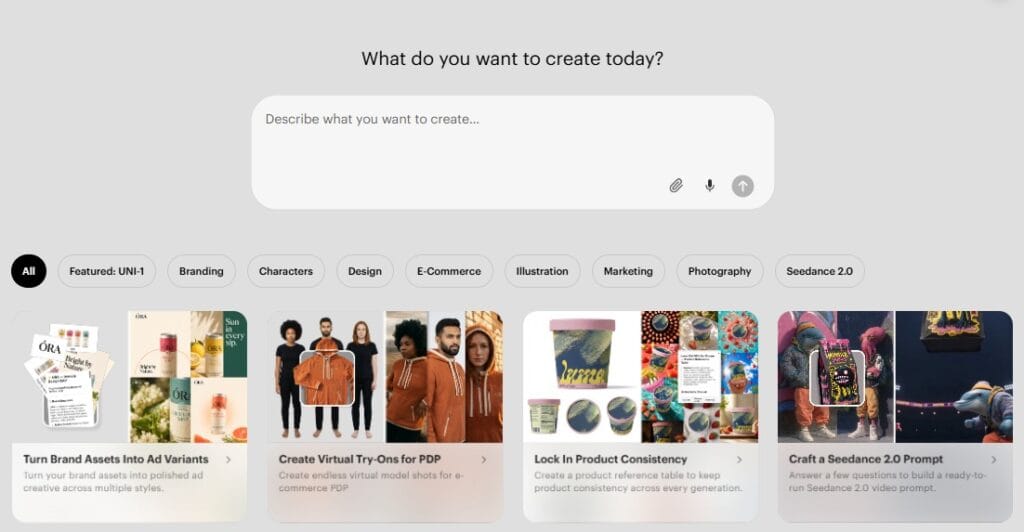
Short answer: yes, and it’s one of the friendliest entry points in the whole AI video space.
Here’s why. The Luma Agent handles model selection, prompt structuring, and iteration for you. Luma’s own documentation confirms beginners can start by simply describing what they want, then refine from there.
You type a sentence. The system does the heavy lifting. That’s the dream for someone who has never touched Blender or a node-based editor.
The catch? Beginners still need to manage credits carefully and write clear prompts. Vague input gets vague output. That’s true of every AI tool, not just this one.
Key Features Worth Knowing
Luma packs a lot into one workspace. Below are the features beginners actually touch first.
Genie and Text-to-3D
Genie is Luma’s text-to-3D generator. You describe an object, and it builds a 3D model in under 10 seconds.
A prompt like “a chair with gold legs” produces an actual 3D chair, not a flat picture. Genie outputs quad meshes with materials in standard formats, so the files drop into tools like Blender, Unity, and Unreal Engine.
Is it production-perfect? Not always. Complex shapes often need cleanup in real 3D software. For drafts, props, and quick concepts, though, it’s genuinely fast.
Interactive Scenes and Flythroughs
Before the video boom, Luma made its name on 3D capture. Interactive Scenes let you turn real-world spaces into explorable 3D environments, and Flythroughs generate smooth camera tours from a phone walkthrough.
For a beginner, this is the closest thing to magic with zero technical setup. Point, record, upload, explore.
My Captures and Featured Captures
My Captures is your personal library, the folder where every scene and model you create lives. Think of it as your creative junk drawer, except organized.
Featured Captures showcases standout work from the wider Luma community. New users get instant inspiration and proof of what’s possible before spending a single credit.
How Luma AI Scores: Our Beginner Verdict
The table below reflects our editorial assessment for first-time users, not lab-measured benchmarks. Scores are out of 10.
| Category | Score | Quick Note |
|---|---|---|
| Accuracy and Reliability | 7.5 | Strong, but AI still misreads prompts. Luma says so itself. |
| Ease of Use | 9.0 | The agent removes most of the learning curve. |
| Functionality and Features | 9.0 | Video, image, audio, and 3D in one place. |
| Performance and Speed | 8.5 | Fast generations; Ray handles motion physics well. |
| Customization and Flexibility | 8.0 | Manual model control exists for those who want it. |
| Data Privacy and Security | 6.5 | Training opt-out is enterprise-only, a real beginner trade-off. |
| Support and Resources | 7.5 | Docs, learning hub, and an active Discord community. |
| Cost-Efficiency | 6.5 | No free tier on the new plans; credits expire monthly. |
| Integration Capabilities | 8.0 | API access plus clean 3D and production exports. |
| Overall Score | 7.8 | A friendly, capable start, held back mainly by cost. |
Who Is Luma AI Actually For?
Luma works for more people than the marketing suggests. Here’s how different beginners use it.
Graphic Designers
Designers spin up mood boards, product visuals, and packaging mockups without booking a photoshoot. Luma’s official use cases highlight on-model photography and packaging visualization in photorealistic 3D.
That’s a real workflow shortcut, not a gimmick.
Digital Artists
Digital artists treat Luma as an idea accelerator. Need fifty variations of a concept before lunch? The agent fans one prompt into many directions and keeps your style consistent across them.
It won’t replace your hand-drawn craft. It will replace the boring part where you redraw the same thing twelve times.
Educators
Teachers turn dense topics into labeled, animated visuals and build lesson materials with images and guides. Luma lists education-driven lesson plans as a core use case.
A diagram that moves beats a wall of text. Students agree.
Game Developers
Game developers lean on Genie for rapid asset drafts: props, simple objects, and blockout pieces for early scenes. Because exports land in standard mesh formats, those drafts flow straight into Unity, Unreal, or Blender.
Final hero assets still need a human modeler. For prototyping, this saves real hours.
Uncommon Use Cases
This is where Luma gets fun. People localize videos into other languages with synced voiceovers, turn podcast clips into shareable video, and build short cinematic trailers for books or games.
Real estate agents create property tours. Researchers animate complex systems. The tool quietly stretches far beyond “make a cool video.“
Luma AI Pricing for Beginners in 2026
Here’s where new users get confused, so let’s clear it up.
Luma now runs three main individual plans on its current site:
- Plus — $30/month, 10,000 credits, commercial use included
- Pro — $90/month, 40,000 credits, 4x agent usage
- Ultra — $300/month, 150,000 credits, 15x agent usage
Yearly billing trims the cost, roughly 16% off rather than the headline 20%. Team and Enterprise plans exist on a contact-sales basis.
Notice something missing? There’s no free tier on the new plans.
A legacy free Dream Machine tier still exists for older accounts, but it’s tight: roughly one short 720p clip per day, silent, watermarked, and non-commercial.
Two more honesty notes for beginners. Credits expire each billing cycle and don’t roll over. And on individual plans, your inputs can be used to improve Luma’s models, since training opt-out is reserved for Enterprise.
Always confirm live pricing in the app before you subscribe. AI tools change their plans faster than I change my coffee order.
The Honest Verdict
So, is Luma AI worth it for a beginner in 2026?
If you want the gentlest on-ramp into AI video and 3D, yes. The agent-driven setup means you can create something genuinely impressive on day one, with no technical background required.
The friction is cost. Without a true free plan on the new tiers, you’re committing at least $30/month to start, and credits vanish if you don’t use them.
My advice: define one real project before you subscribe, whether that’s a product video, a 3D prop, or a localized clip. Use it hard for a month. Then judge.
For curious creators ready to spend a little, Luma earns its 7.8 and a confident recommendation. For tire-kickers who just want to play for free, a legacy account or a free alternative makes more sense.
Either way, you now know exactly what you’re walking into. That’s the whole point of an honest review.
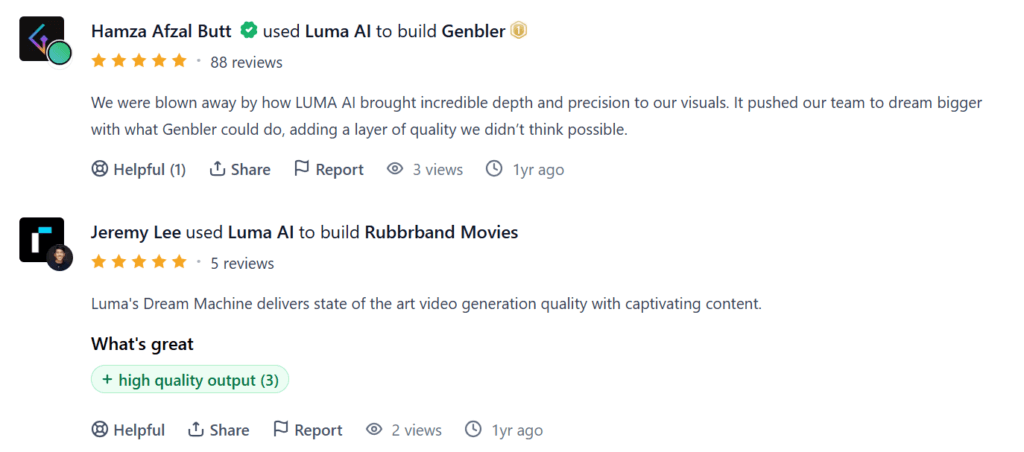
Review on Product hunt
FAQs
What is Luma AI good for?
Luma is good for creating video, images, audio, and 3D models from simple text prompts. Beginners use it for social clips, product visuals, marketing content, quick 3D drafts through Genie, all guided by an agent that picks the right model.
Is Luma easy to use?
Yes. Luma is beginner friendly because its AI agent handles model choice, prompt structuring, and iteration for you. You simply describe what you want in plain words, then refine the result. No 3D software skills or technical background are needed to start.
What is the best AI video generator for beginners?
There is no single winner, but Luma Dream Machine ranks among the easiest thanks to its agent driven setup. Kling and Runway are strong rivals too. Try a free option first, then pick whatever fits your budget and goals.
What’s better than Luma AI?
It depends on your goal. Kling often gives more credits for less money; Runway suits longer edits, and Veo adds native audio. None is flatly better, so match the tool to your budget, video length, and audio needs.
Pricing and features verified June 2026. Always check the official Luma app for current details before subscribing.