
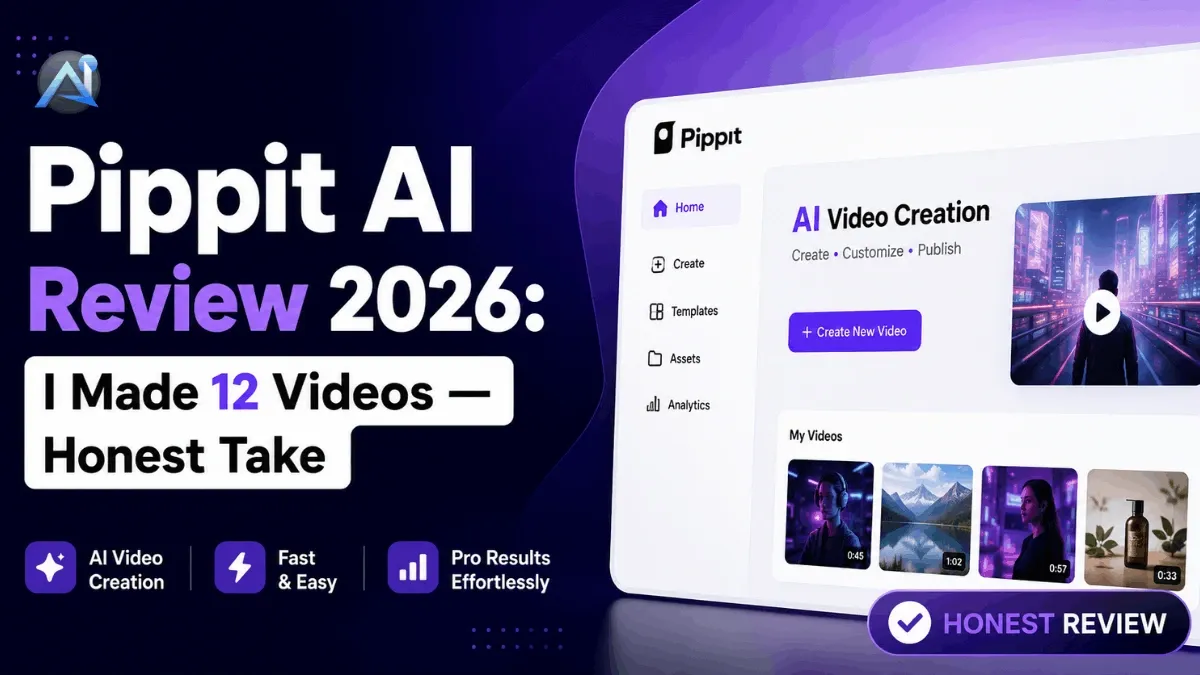

I spent 30 days testing Pippit AI across 12 different video projects, from product ads for a Shopify store to TikTok-ready clips with AI avatars. Some of those videos took me under 3 minutes. A couple were genuinely embarrassing. This review covers everything: what the tool actually does, how the credit system works, what the free plan gets you, and whether the $24.17/month starter plan is worth it. If you’re a marketer, e-commerce seller, or content creator trying to figure out if Pippit belongs in your stack, you’ll have a clear answer by the end of this.
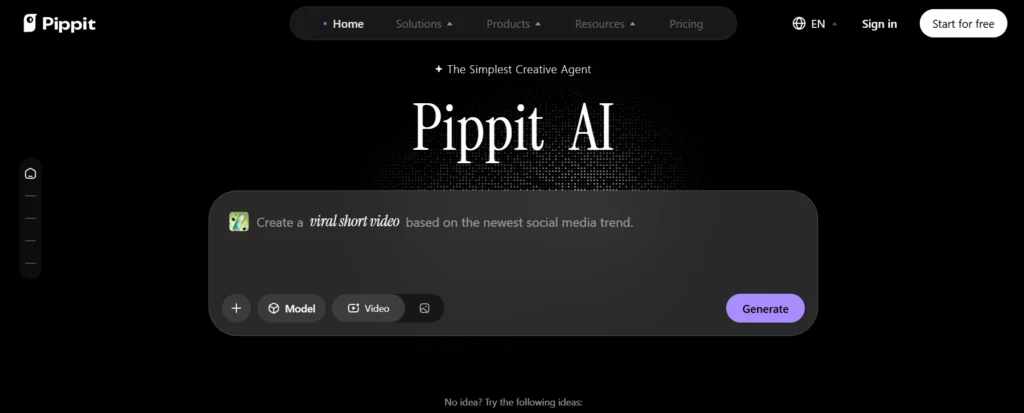
What is Pippit AI? (The 60-second version)
Pippit AI is an AI-powered content creation platform built by CapCut, which is owned by ByteDance (the same company behind TikTok). It was originally called CapCut Commerce Pro before rebranding to Pippit in 2026. The platform runs entirely in your browser—no app download required—and it’s built specifically for e-commerce sellers, marketers, and social media creators who need to produce marketing content fast without a production team.
The core idea is simple: you feed Pippit a product link, a script, or an image, and it generates a finished video or visual asset ready to post. It goes further than most AI video tools by bundling video creation, AI avatars, product image generation, scheduling, and social analytics into one dashboard. If you’re already evaluating the best AI content tools for your marketing workflow, Pippit sits firmly in the automated content creation category, not the manual video editor category.
Pippit AI vs. CapCut: What’s actually different?
This is the question I see in every comment section and Reddit thread about Pippit, and the answer matters before you pay for anything. CapCut is a video editor. Pippit is a marketing content engine. They share underlying technology from ByteDance, but they’re built for completely different workflows.
CapCut gives you a timeline, manual cuts, effects, transitions, and creative control. It’s great for editing raw footage into polished content, and it works as a mobile and desktop app. Pippit doesn’t give you a traditional editing timeline at all. Instead, it takes inputs (a URL, a product image, a script) and generates complete, publish-ready videos automatically. You can tweak the output afterward, but the starting point is always AI-generated, not raw footage. The table below shows the key differences at a glance.
| Feature | Pippit AI | CapCut |
|---|---|---|
| Primary use | Automated marketing content | Manual video editing |
| Platform | Web browser only | Mobile + desktop app |
| Editing style | AI-generated, then adjust | Full manual timeline |
| E-commerce tools | Yes (Shopify, TikTok Shop) | No |
| AI avatars | 600+ built-in | Limited |
| Auto-publishing | Yes (3 platforms free) | No |
| Best for | Marketers, e-com sellers | Creators, editors |
The short version: if you want to paste a product link and get a TikTok ad in 4 minutes, use Pippit. If you want to cut your own footage with creative control, use CapCut. They’re not competing tools so much as tools for different jobs.
One more thing worth knowing: Pippit has deeper e-commerce integrations than CapCut ever did. The Shopify and TikTok Shop connections are built into Pippit’s core workflow, not bolted on. That alone makes it a different product for a different buyer.
Key features—what you actually get
Link to video (the killer feature)
This is the one feature that makes Pippit genuinely different from most AI video tools. You paste a product URL from your Shopify store, Amazon listing, or any product page, and Pippit pulls the images, product details, and description automatically. It then generates a script, picks a voiceover style, selects an AI avatar if you want one, and produces 3 to 5 video options in different formats (square, vertical, horizontal) within about 2 minutes. From there you can swap the avatar, edit the script text, change the music, adjust caption style, or just hit export. The process goes: paste link → pick preferences → generate → tweak → download. I ran this on a headphones listing and had a usable 30-second TikTok ad in under 4 minutes. The quality wasn’t cinematic, but it was absolutely good enough for a paid ad test.
AI avatars & voiceovers
Pippit has over 600 AI avatars built in, covering a wide range of ages, ethnicities, and styles. Voiceover generation covers 28 languages with 869 voice options. You can also upload your own photo to create a custom photo avatar, or on the Starter plan, create a custom video avatar. For e-commerce sellers running multilingual campaigns, this is a real time-saver because you don’t re-record anything. You pick your script, select a language, choose a voice, and the avatar delivers it. Avatar quality is decent for marketing content, but if you want hyper-realistic presenter-style videos, HeyGen still has the edge in raw realism.
AI image generator & product photos
Pippit’s image tools go beyond basic generation. You can batch-create product photos, remove backgrounds in one click, add AI-generated studio backdrops, and apply lifelike shadow and lighting effects. For sellers on Shopify, TikTok Shop, or Amazon who need clean product images without a studio shoot, this is genuinely useful. You can generate dozens of product photo variations in a single batch session. If you want to compare this capability against other standalone tools, check out these AI image generators that focus purely on image creation.
Agent mode
Agent Mode is Pippit’s newest feature and the one almost nobody is talking about yet. It lets you give Pippit a high-level campaign brief, and the AI handles the full content production sequence autonomously: script, avatar selection, video style, captions, and format. Think of it as going from “make me content” to “here’s a finished campaign.” Each Agent Mode run costs 150 credits, which means free plan users get exactly 1 use per week. On the Starter plan with 1,800 monthly credits, you can run it about 12 times per month. It’s early, and the outputs aren’t always on-brand, but the direction is clear.
Scheduling & auto-publishing
Once your video is ready, you can schedule it directly to up to 3 social platforms on the free plan without leaving Pippit. The dashboard includes basic performance analytics so you can track views, engagement, and reach without jumping to each platform separately. It’s not a replacement for a full social media management tool, but for a solo creator or small brand, it removes one more tool from the stack.
Pippit AI pricing: free plan vs starter plan (full breakdown)
Pippit runs on a credit-based system, and understanding how credits burn is the thing nobody explains clearly. Here’s the actual breakdown.
The free plan gives you 150 credits every week, refreshing every Monday. That translates to roughly 2 minutes of video content and 75 images per week. You get access to Link to Video, 3 photo avatars supporting 30+ languages, basic design tools, 500GB of cloud storage, and publishing to up to 3 social platforms. Free plan videos export with a watermark. The Starter plan (also called the Pro plan in some places) costs $24.17/month billed annually ($289.99/year) or about $30/month on monthly billing. It gives you 1,800 credits per month (21,600 per year), watermark-free exports, unlimited photo avatars, 1 custom video avatar at no credit cost, batch editing, and custom voice options.
| Feature | Free plan | Starter plan |
|---|---|---|
| Price | $0 | $24.17/mo (annual) |
| Credits | 150/week | 1,800/month |
| Video output | ~2 min/week | ~360 min/year |
| Images | ~75/week | ~10,800/year |
| Watermark | Yes | No |
| Avatars | 3 photo avatars | Unlimited + 1 custom video |
| Custom voice | No | Yes |
| Social platforms | 3 | 3 |
| Storage | 500GB | 500GB |
| Agent Mode | 1 use/week | ~12 uses/month |
The credit burn rate by feature (approximate, based on my testing):
- Link to Video: ~30–60 credits per video (depending on length)
- AI avatar video: ~40–80 credits
- Image generation: ~2 credits per image
- Agent Mode: 150 credits flat
- Background removal: ~1 credit per image
The free plan is genuinely useful for testing and occasional content. But if you’re running a real e-commerce store and need consistent output, 150 weekly credits runs out fast. The Starter plan math works out to roughly $0.067 per video minute, which is competitive. For context, InVideo starts at $25/month, HeyGen at $24/month, and Synthesia at $22/month. Pippit is priced in the same range but adds the Shopify and TikTok Shop integrations that none of those tools offer natively.
One thing to watch: annual credits don’t roll over month to month on the monthly plan, and extra credits can be purchased separately if you burn through your allocation. There’s a 7-day free trial with 400 credits and no credit card required, which is the right way to test it before committing.
My hands-on test: 30 days, 12 videos
I ran Pippit through 12 real projects over 30 days. Here’s what I actually made, how long each took, and an honest quality rating.
| Project | Feature used | Time to finish | Quality rating |
|---|---|---|---|
| Headphones product ad (TikTok) | Link to Video | 4 min | 7/10 |
| Skincare brand intro (Instagram Reel) | Avatar + script | 6 min | 6/10 |
| Amazon listing promo | Link to Video | 3 min | 8/10 |
| Multilingual product demo (Spanish) | Avatar, voice gen | 8 min | 7/10 |
| Clothing try-on video | AI model feature | 5 min | 6/10 |
| YouTube Shorts explainer | Agent Mode | 12 min | 5/10 |
| Batch product images (10 items) | Image generator | 7 min | 8/10 |
| Background removal, 20 images | Image tools | 4 min | 9/10 |
| TikTok Shop product demo | Link to Video | 3 min | 8/10 |
| Podcast clip repurpose | Video editor | 9 min | 6/10 |
| Email promo video | Template + avatar | 5 min | 7/10 |
| Full campaign (Agent Mode) | Agent Mode | 15 min | 5/10 |
A few honest observations from those 30 days. The Link to Video feature is consistently the strongest output. Every time I ran it on a clean product listing with good images, the result was post-worthy with minimal edits. Agent Mode is the weakest right now. Both times I used it, the video structure made sense, but the output felt generic and needed significant script editing before I’d actually publish it. Avatar realism is good for marketing content but noticeably artificial in close-up or slow-paced formats. If your content requires a believable human presenter, you’ll notice the limits.
The platform never crashed, never froze, and every export came back within 5 minutes for standard-length videos. That consistency actually matters when you’re producing content at volume. The learning curve is roughly 20 minutes to get comfortable with the dashboard, maybe 2 hours to fully understand the credit system and feature depth.
Who is Pippit AI best for? (And who should skip it)
Best for
Pippit is the right tool if you sell physical products online and need marketing content without a video production budget. Shopify store owners and TikTok Shop sellers get the most from it because the platform is literally built around those integrations. Solo marketers managing multiple brand accounts benefit from the scheduling and batch features. E-commerce brands that need consistent content volume without hiring editors or designers will find the credit system affordable at scale. If you’re already using CapCut for manual editing and want to add an automated content layer, Pippit complements that workflow cleanly.
Skip if
Skip Pippit if you need high-production video for brand campaigns, investor pitches, or anything where quality is non-negotiable. The AI-generated outputs are good for social media ads and product demos, not for cinematic brand storytelling. Skip it if you do heavy manual editing with custom transitions, effects, and color grading. Pippit’s editor is lightweight by design. And if ByteDance’s data infrastructure is a concern for your business (more on that next), that’s a legitimate reason to look at alternatives.
The ByteDance question: should you be concerned?
This is the section nobody writes, so I’ll write it plainly. Pippit AI is built by CapCut. CapCut is owned by ByteDance. ByteDance is the Chinese parent company of TikTok. The same regulatory and data privacy concerns that led to TikTok ban discussions in the US apply, at least in principle, to any ByteDance product you run business data through.
What that means practically: the product content, business links, creative assets, and usage data you feed into Pippit sit on ByteDance infrastructure. For a solo creator making TikTok ads, this is probably not a concern. For a US-based business handling proprietary product data, customer-facing content strategy, or sensitive brand assets, it’s worth a conversation with your legal or compliance team before subscribing. There’s no documented case of Pippit mishandling business data, but the structural relationship with ByteDance is real and worth knowing. If this is a dealbreaker, HeyGen and InVideo are strong alternatives with no ByteDance connection.
Pippit AI alternatives: when to use something else
No tool is right for every situation. Here’s where I’d send you if Pippit doesn’t fit.
HeyGen is the best alternative if avatar realism is your priority. The avatar quality at HeyGen’s $24/month plan is noticeably more lifelike than Pippit’s, with better lip-sync and more natural expression. Read the full HeyGen review if you’re comparing the two for presenter-style videos.
InVideo AI is better if you want to build videos from text prompts or long-form content like blog posts. You write (or paste) a script, and InVideo pulls matching stock footage, adds voiceover, and produces a complete video. It’s less e-commerce-focused than Pippit but more flexible for editorial and content marketing video. Starts at $25/month.
Synthesia is the right choice for corporate training, onboarding, or internal communication videos where you need SCORM export, enterprise security, and a polished presentation layer. It’s not built for fast e-commerce ad production. Starts at $22/month.
Canva is worth considering if your primary need is design and image content rather than video. It handles templates, brand kits, and marketing visuals well, with video as a secondary feature. Better for design-first teams.
CapCut (the original) makes sense if you want full manual control over video editing. It’s free with a Pro tier and gives you a real editing timeline that Pippit intentionally removes. For any of these AI ad generator tools specifically built around product ads, that roundup covers the full landscape if you want a side-by-side comparison.
Pros & cons: after 30 days of real use
What worked well:
- Link to Video is genuinely fast and produces usable ad content from clean product listings
- Background removal and batch image generation are reliable and save real time
- Credit pricing is competitive against HeyGen, InVideo, and Synthesia for the feature set
- No crashes, no long export waits, consistent performance throughout
- The free trial (400 credits, no card required) is a fair way to test it before paying
What I wish I’d known before subscribing:
- Agent Mode is not ready to replace a content strategist. The outputs are structurally fine but need editing before you’d publish them
- Avatar realism has a ceiling. For slow-paced or close-up content, the AI quality is visible
- 150 free weekly credits run out in roughly 2 to 3 video projects. Plan for the Starter plan if you need consistent output
- The credit burn rate is different per feature, and the platform doesn’t show you a clear running total in a way that’s easy to track
- ByteDance is the parent company. If that’s a concern for your business, check alternatives first
Final verdict: Is Pippit AI worth it?
Rating: 4.2/5
For the specific job it’s built for—turning product links and marketing briefs into publish-ready social content, fast, at a reasonable price—Pippit AI delivers. The Link to Video feature alone covers the cost of the Starter plan if you’re producing more than 3 or 4 product ads per month. The image tools are solid. The scheduling is convenient. And the free trial is generous enough to know whether it fits your workflow before you pay anything.
Where it falls short is in output quality ceiling, agent mode maturity, and the ByteDance question for business users. If you need cinematic quality, deep editing control, or data sovereignty, you’re looking at the wrong tool.
But for Shopify sellers, TikTok Shop brands, solo marketers, and content teams that need volume over perfection, Pippit is a genuinely useful tool at a fair price. Try Pippit AI for free with the 400-credit trial and see what it produces from your own product links. That’s the fastest way to know if it’s right for you.
Frequently asked questions
Is Pippit AI really free? What can you do without paying?
Yes, the free plan is real. You get 150 credits per week that refresh every Monday, which covers roughly 2 minutes of video and 75 images. You also get 3 photo avatars, 500GB of storage, and publishing to up to 3 social platforms. Free plan exports include a watermark, and access to features like Agent Mode is limited to 1 use per week. It’s enough to genuinely test the platform, but not enough for consistent content production at any real volume.
What is the difference between Pippit AI and CapCut?
CapCut is a manual video editor with a full timeline, effects, and creative controls. Pippit is an automated content generator that takes a URL, script, or image and produces finished marketing content. CapCut is for editing footage you already have. Pippit is for creating content from scratch with AI. They share ByteDance infrastructure but serve different workflows entirely.
How does Pippit AI’s credit system work?
Credits are the currency for every AI-powered action on the platform. The free plan gives 150 credits per week. The Starter plan gives 1,800 per month. Different features consume credits at different rates: Link to Video costs roughly 30 to 60 credits per video, image generation costs about 2 credits per image, and Agent Mode costs 150 credits flat per run. Extra credits can be purchased separately if you run out.
Does Pippit AI work for Shopify and TikTok Shop?
Yes. Shopify and TikTok Shop integrations are built directly into Pippit’s core workflow. You can connect your store, pull product listings automatically, and generate product videos and images without manually entering product details. This is one of Pippit’s clearest advantages over alternatives like HeyGen or InVideo, which don’t offer native e-commerce integrations.
Is Pippit AI safe to use? (ByteDance / data privacy)
Pippit is a ByteDance product, the same parent company as TikTok. There are no documented data breaches or misuse cases specific to Pippit. But the structural relationship means your business data, product content, and creative assets are processed on ByteDance infrastructure. For individual creators and small brands, this is likely a non-issue. For US businesses with compliance requirements or sensitivity around Chinese-owned platforms, it’s worth reviewing before subscribing.
Pippit AI vs. HeyGen: Which is better for avatars?
HeyGen has better avatar realism, particularly for close-up, slow-paced, or presenter-style videos. Pippit has more avatars (600+ vs. HeyGen’s library) and better e-commerce and scheduling features. If avatar quality is your main concern, HeyGen wins. If you need a full marketing workflow with decent avatars at a lower effective cost, Pippit is stronger overall.
Can I remove the watermark on the free plan?
No. Watermark removal requires the Starter plan. Free plan exports include a Pippit watermark on all video content. Images may export without watermarks depending on the specific tool used, but video exports are watermarked on the free tier.
Does Pippit AI have an API?
As of mid-2026, Pippit does not offer a public API for third-party integrations. The platform is designed as a self-contained dashboard rather than a developer tool. If API access for programmatic video generation is a requirement, HeyGen’s API is the better option in this category.
After 30 days and 12 video projects, my honest assessment is this: Pippit AI is a useful, well-priced tool for a specific kind of content creator. If you sell products online and need marketing videos without a production team, it’s worth the trial. If you need cinematic quality or full editing control, look elsewhere. Start with the free trial and run Link to Video on your actual product listings. That 4-minute test will tell you everything the rest of this review can’t.