
If you’ve been exploring AI tools for content creation, design, or automation, chances are you’ve come across DeepAI. In this deepai review, we’re breaking down everything — features, pricing, performance, pros, cons, alternatives, and whether it’s worth using in 2025.
DeepAI positions itself as a “Swiss Army knife” of creative AI tools, offering image generation, video creation, text writing, APIs, editing tools, and more. But does it actually deliver? Let’s find out.
What Is DeepAI?
DeepAI is an online AI platform that offers a bundle of creative and developer-friendly tools. Launched to make AI accessible to everyone, the platform focuses on simplicity, fast results, and a pay-as-you-go model that’s ideal for beginners.
Unlike apps that specialize in one feature (like Midjourney for art or ChatGPT for text), DeepAI combines multiple AI tools under one dashboard. You get an image generator, image editor, music generator, video creation tools, AI chat, and APIs for developers — all in one place.
Its mission is to make AI creation frictionless. Whether you want to create images from text, edit photos, generate videos, or build AI-powered apps, DeepAI gives you a lightweight and easy starting point.
History and Mission Behind DeepAI
DeepAI was built to make artificial intelligence open, affordable, and accessible. The platform originally began with simple APIs for developers, then expanded into creative tools as demand grew. Today, it serves creators, designers, marketers, social media users, and software developers.
What Makes DeepAI Different From Other AI Tools
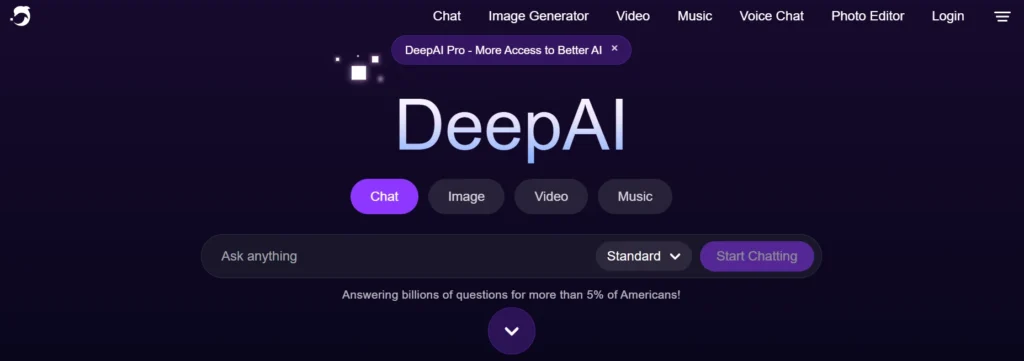
DeepAI’s biggest advantage is its simplicity. There’s no steep learning curve. You won’t need Discord (like Midjourney) or complex workflows (like Stable Diffusion). Everything loads directly in your browser. The pricing is flexible, and the free version lets you experiment without commitment.
Overview of Its Main Functions
DeepAI offers a long list of AI-powered tools, including:
- AI image generator
- Text-to-image art creation
- AI photo editor
- Super resolution tool
- Image extender
- Image colorizer
- AI video generator
- AI music generator
- AI chat assistant
- Text generator
- DeepAI APIs for developers
This gives beginners a friendly starting point and gives developers the back-end tools to power apps, bots, and services.
DeepAI Review: Key Features Explained
1. AI Image Generator
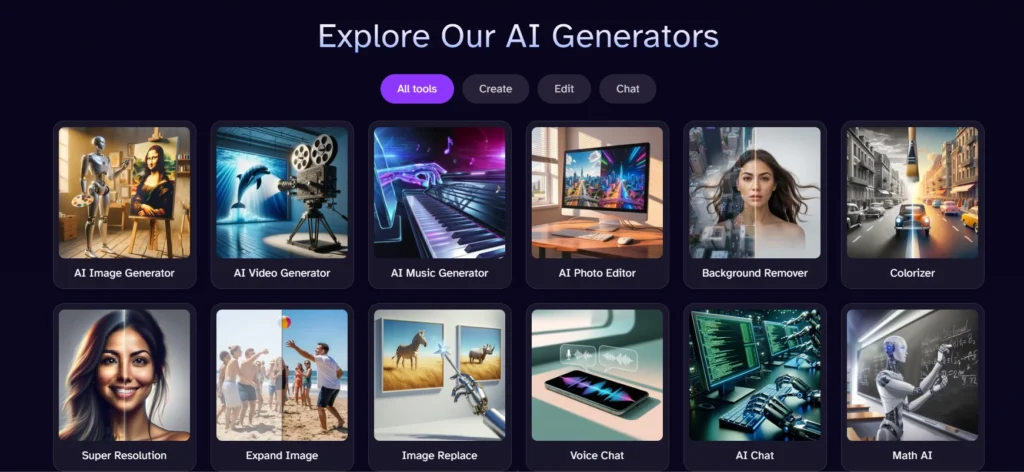
DeepAI’s image generator is one of its most-used tools. You simply type a prompt, choose a style such as “photo-realistic,” “3D art,” or “anime,” and the platform generates images instantly. It supports multiple resolutions and is fast enough for quick concept art or social media graphics.
Speed is where DeepAI shines. Images typically render in seconds, though quality varies by prompt. It’s not as detailed as Midjourney or DALL·E, but it’s highly convenient for users who want simple outputs without complexity.
2. Text Generator
DeepAI’s text generator creates short-form content like descriptions, captions, ideas, and simple scripts. It works best for lightweight tasks — not long articles. If you need brainstorming help, social media captions, or short paragraphs, the tool performs reliably.
It’s not as advanced as GPT-4 or Claude, but it’s more than enough for beginners or users who need quick text.
3. AI Image Editor
DeepAI includes useful editing tools like:
- Inpainting
- Outpainting
- Background removal
- Super-resolution enhancement
- Image extending
- Colorizing black-and-white photos
The editor is simple and user-friendly. If you’re a beginner or just need fast touch-ups, DeepAI does the job. For professional editing, Adobe Firefly or Photoshop will outperform it.
4. DeepAI APIs for Developers
DeepAI started as an API platform, and its developer tools remain one of its strongest offerings.
You get APIs for:
- Image generation
- Text generation
- Image enhancement
- Colorization
- Super resolution
- AI chat
Developers can integrate AI into apps, websites, or automation tools. The API performance is fast, reliable, and cost-effective for small to mid-level projects
5. Security & Data Privacy
DeepAI states that user prompts and outputs are not stored unless needed for moderation or platform improvement. It does not publicly claim to use data for training, and the system feels transparent and lightweight. For commercial use, always double-check licensing terms, but overall data privacy looks solid.
DeepAI Review: Pricing Plans
Free Plan
DeepAI’s free version gives access to basic tools like image generation, photo editing, and text features. However, usage limits are strict — suitable for casual users or testing.
Best for:
- Beginners
- Students
- Occasional creators
Paid Plans
Paid plans unlock:
- Higher resolution images
- Faster processing
- Better quality
- Unlimited access to certain tools
- API credits for developers
Pricing Breakdown:
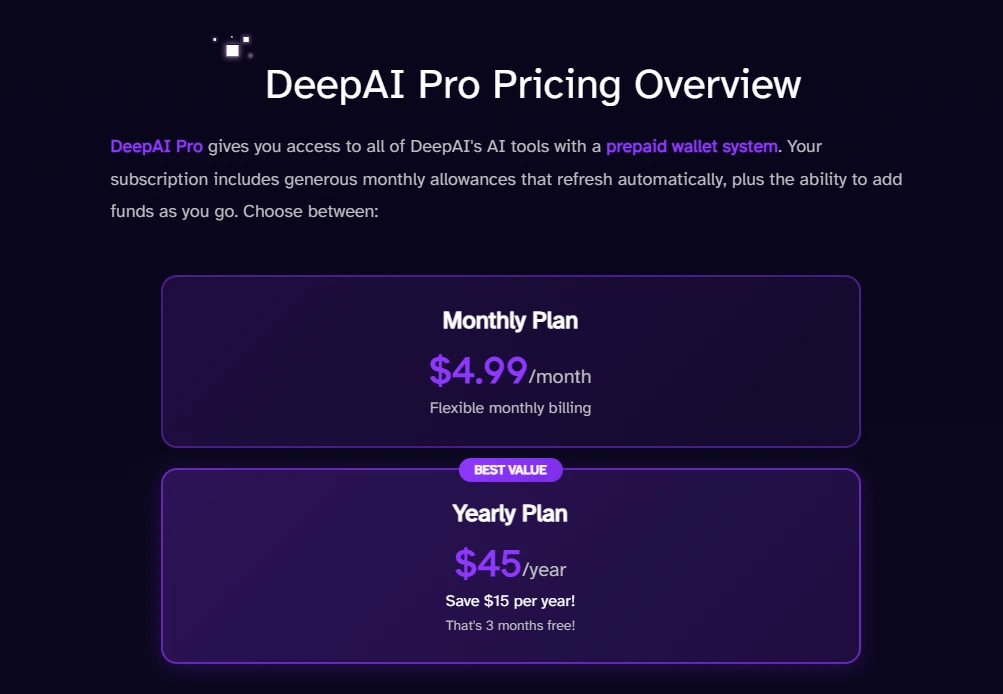
- Pro plan: Monthly subscription with unlimited generation
- Pay-as-you-go: Credits for image, text, video, and API usage
- API pricing: Based on request volume
Value for money is strong if you need occasional AI tools or lightweight image/video generation.
DeepAI Review Features Pros Cons
Pros
- Free plan available
- Extremely simple UI
- Fast processing
- Wide range of creative tools
- API access for developers
- Ideal for beginners
- Supports image, text, video, audio, and editing in one platform
Cons
- Image quality is not as realistic as Midjourney
- Text generator is basic
- Video generator is limited
- Not ideal for professional designers
- Some outputs lack detail or depth
DeepAI Performance Test
1. Image Quality Test
In our test, DeepAI generated images instantly, but realism varies. Simple prompts work great, while complex scenes sometimes lose detail. The platform is optimized for speed rather than cinematic quality.
2. Text Generation Test
Text is decent for short content like product descriptions, ideas, or captions. Creativity and grammar are acceptable, but it isn’t built for long-form or advanced writing tasks.
3. API Response Test
API latency is low, typically returning results within seconds. It works smoothly for small-scale projects and automation workflows. Scalability is good enough for startups or hobby projects.
Who Should Use DeepAI?
DeepAI is perfect for:
- Beginners exploring AI tools
- Students and hobbyists
- Social media content creators
- Marketers who need quick visuals
- Developers who need simple AI APIs
- Small businesses needing cheap AI tools
Not recommended for:
- Professional artists
- High-end content creators
- Agencies producing premium visuals
DeepAI Alternatives to Consider
1. Midjourney
Best for photorealistic, artistic images. Much better quality but requires Discord.
2. OpenAI (DALL·E, GPT)
Top-tier image and text generation. More advanced but more expensive.
3. Stable Diffusion
Open-source powerhouse. Great for customization and control.
4. Canva AI
Perfect for businesses, social media creators, and marketers needing polished templates.
Final Verdict: Is DeepAI Worth It?
DeepAI is a simple, fast, and flexible AI platform. It’s ideal for beginners, small businesses, and developers who need cost-effective APIs. While it doesn’t match the realism of Midjourney or the writing power of GPT-4, it shines as an all-in-one creative tool.
In short, this deepai review shows that while DeepAI offers solid AI features with clear pros and cons, it remains an excellent entry-level tool for creators and developers.
FAQ: DeepAI Review
Is DeepAI free?
Yes, DeepAI has a free plan with basic usage limits.
Is DeepAI safe to use?
Yes. DeepAI does not appear to store user content for training without permission.
Can DeepAI generate realistic images?
It can generate good images, but not as photorealistic as Midjourney or DALL·E.
How does DeepAI compare to Midjourney or DALL·E?
DeepAI is simpler and cheaper but produces lower-quality images. Midjourney and DALL·E offer more detail and realism.




Pingback: Best AI Music Generators Free: Top Tools for 2025
Pingback: Best AI Image Generator Tools 2026 (Tested & Ranked)