

Hiring a pro voice actor usually sets you back $200 to $500 for just one video. That’s a massive wall for most indie creators and small shops. FineVoice AI knocks that wall down by putting a studio-grade voice generator right on your desktop.
FineVoice AI is an all-in-one audio suite from Fineshare. It mashes real-time voice changing, high-fidelity voice cloning, and a huge library of 1,500+ voices into one spot. In this FineVoice AI review, you’ll see how it handles OBS Discord lag, the quality of its 30-second sample clones, and if the pricing actually fits your workflow.
Quick verdict
- Rating: 4.7/5
- Best for: Streamers needing streaming voice effects and YouTubers on a budget.
- Skip if: You need the absolute highest emotional nuance for full-length movies.
What is FineVoice AI, and who is it actually for?
FineVoice AI is way more than a basic text-to-speech tool. It’s a full audio world built to handle every part of your creative work from recording to the final edit. You can swap your voice live during a Discord call or make a full narration for a marketing video in seconds.
The platform fills the gap between pricey pro services and junk-free tools. It’s got enough depth for power users but keeps things simple for beginners. Since it works as a Windows macOS desktop app and a web service, you can use it on almost any setup.
The Fineshare backstory
Fineshare started with one goal: making digital talk more expressive. They saw creators were tired of juggling five apps just to manage their audio. By building one engine, they made a tool that feels like a single unit.
Who uses FineVoice?
YouTubers use the platform to narrate videos without dropping cash on expensive mics. Gamers and streamers use the real-time voice changer to stay in character or hide their identity. Marketers and podcasters love the AI voice cloning to keep their brand voice the same across hundreds of clips.
What makes it different from standalone TTS tools
Most tools only do one thing well. FineVoice AI is a voice synthesis platform that handles generation, changing, and cloning all at once. This means you don’t have to sweat file types or learn five different layouts.
FineVoice AI features: everything the platform can do
The feature list is packed for what you pay. You get 1,500+ voices across 154 languages, which is plenty for reaching people globally. The platform also has an AI sound effect generator and an AI talking photo tool for your video projects.
Everything sits in a clean dashboard that doesn’t feel like a cockpit. You can jump from the voice generator to the cloning lab with one click. If you want to compare, looking at a list of the best AI content tools shows how rare this kind of setup is.
| Tool | Best for | Output format |
| AI voice generator | YouTube & e-learning | MP3, WAV |
| real-time voice changer | Streaming & Gaming | Virtual Mic |
| AI voice cloning | Brand consistency | Custom Model |
| AI sound effect generator | Intros & transitions | WAV |
AI voice generator
The AI voice generator uses deep learning to make voices that sound like actual people. You can pick from 1,500+ voices and use emotion tags like “happy” or “sad” to tweak the delivery. It supports 154 languages, making it a beast for creators going global.
AI voice changer
This is the big one for most users. It lets you use real-time mic input with basically zero lag. You can swap your gender, turn into a monster, or use a celebrity style during live gaming or work meetings.
AI voice cloning
You only need a 30-second sample to make a digital twin of your voice. The whole thing takes under a minute and gives you a model for any text-to-speech task. There are clear commercial use rules to keep you out of legal trouble.
AI sound effect generator
This tool turns text into high-quality royalty-free audio effects. It’s a huge time-saver for game devs and video editors who need specific sounds. You just type what you want, and the AI hands you the file.
Bonus tools
The platform also has a background music generator and an AI talking photo feature. You can even use the speech-to-text converter to transcribe your videos. These extras make it a solid pick for anyone in digital media.
FineVoice AI voice changer: tested for gamers and streamers
The real-time voice changer is the best part of the desktop app. It plugs right into your system as a virtual mic. This means you can pick it as your input in FineVoice AI voice changer setups for Discord, OBS, or Zoom without any messy wiring.
It stays stable even when you’re playing heavy games. I pushed it while running big titles and didn’t see any frame drops. The audio stays sharp, and the lag is so low your friends won’t even know you’re using a tool.
Real-time performance
Lag is the killer for streamers. FineVoice fixes this by keeping CPU and GPU use low. During my tests, the OBS and Discord lag was virtually eliminated.
Voice library depth
The variety is wild. You can pick anime characters, pro narrators, or even older voices. The library spans so many styles that you’re guaranteed to find the perfect voice for your specific stream.
Step-by-step: how to set up FineVoice AI voice changer for live streaming
First, install the Windows macOS desktop app and pick your main mic. Next, enable the “Virtual Microphone” toggle in the settings. Finally, launch your streaming software and change the input to FineVoice Virtual Mic.
Honest drawbacks
The voice changer software isn’t magic. Some extreme voices can sound a bit robotic if you don’t tweak the pitch. You also need a solid internet connection to use the full cloud library.
Best voices for gaming streams
- The Orc: Deep and perfect for fantasy games.
- Radio Host: Adds a pro, tight sound to your talk.
- Chipmunk: Great for funny moments or messing with friends.
FineVoice AI voice cloning: clone your voice in under a minute
AI voice cloning used to take hours of recording. FineVoice cut that down to just a 30-second sample. You just read a few lines, and the system maps your voice almost instantly.
The quality is high for such a fast process. It might not catch every tiny detail of a 10-hour session, but it’s plenty for most creators. ElevenLabs voice realism comparison tests show a bit more emotion in pro work, but FineVoice is way faster for quick jobs.
How voice cloning works
The system uses deep learning to check your pitch and rhythm. It builds a math model that fits any text you type. This lets the AI copy your specific vocal print with high accuracy.
Step-by-step clone walkthrough
Start by recording your 30-second sample in the app. The AI grinds the data and makes your voice model in under a minute. Once it’s done, you can start making audio with your digital twin.
Commercial use rules
If you’re on a paid plan, you own the voices you make. Official models are fine for commercial use in ads and YouTube. But community models are usually just for personal fun, so watch the labels.
Cloning quality vs ElevenLabs
ElevenLabs is the king of realism. But FineVoice is closing the gap. While ElevenLabs might have a tiny edge in emotion, FineVoice is a better deal because it packs in so many other tools.
Who should use this?
- Course creators: Keep your voice the same across 50 lessons.
- Audiobook narrators: Save your throat by using a clone for the long parts.
- Brand managers: Make sure your company voice sounds the same in every ad.
FineVoice AI sound effect generator: the most underrated feature
Most people buy this for the voices, but the AI sound effect generator is a secret weapon. It uses a text-to-audio engine to make sounds that are hard to find elsewhere. If you need a “laser beam hitting a shield,” just type it.
This is great for avoiding copyright strikes. Every sound you make is royalty-free audio and unique to your prompt. Most reviewers miss this, but it’s a huge boost for your workflow.
How text-to-SFX actually works
The AI has heard millions of sounds. When you give it a prompt, it builds a new one. Use words like “metallic” or “sharp” to get the best results.
Prompts that work vs prompts that fail
Specific prompts like “heavy rain on a tin roof” come out great. Vague ones like “noise” usually give you junk. The more detail you give about the feel and place, the better the sound.
Use cases
YouTube intros love custom whooshes. Game devs can make unique UI sounds or background noise. Podcasters can make specific “stingers” to move between show parts.
Export quality and format
You can export sounds as WAV or MP3. The quality is high enough for pro work. Since it’s royalty-free audio, you don’t have to worry about fees or giving credit.
FineVoice AI pricing: which plan is actually worth it?
FineVoice has a tiered setup for everyone from hobbyists to pro shops. The free plan limits are actually okay for testing. But for business use, you’ll need to pay.
Paid plans give you more characters and commercial use rights. For most, the Pro plan is the winner. It has the best mix of features for daily work.
Free plan limits
The free version gives you 250 characters for TTS and 5 voice clones. You also get 30 sound effects. It’s fine for a test drive, but you’ll hit the wall fast if you make full videos.
Basic ($8.99/mo)
This fits YouTubers who make maybe 2 videos a week. It bumps your limits and gives you more premium voices. It’s a cheap way to start.
Pro ($12.99/mo)
This is the one for daily creators and pro streamers. It has high limits and includes high-fidelity cloning. If you’re serious, get this one.
Enterprise ($47.99/mo)
Agencies and big teams need this. It’s built for heavy production and has the best support. It also lets multiple people use the account.
Annual vs monthly
Paying for the year saves you a lot. They also have lifetime deals on sites like StackSocial sometimes. If you’ll use it for a year, go annual.
| Creator persona | Recommended plan | Why? |
| Casual Gamer | Free | Good enough for fun. |
| Part-time YouTuber | Basic | Cheap with okay limits. |
| Pro Streamer | Pro | Stable and high limits. |
| Marketing Agency | Enterprise | Team features and scale. |
FineVoice AI pros and cons—the honest verdict
FineVoice AI is a beast, but it’s not perfect. The all-in-one style is its biggest win. You save time and money having it all in one app. But it’s not as specialized as some high-end tools.
Real user ratings on Trustpilot show FineVoice gets mixed marks for support speed, though most love the voice variety. You have to balance the easy workflow against the occasional tech bug.
What FineVoice does exceptionally well
The voice variety is hard to beat for the price. The real-time voice changer is super stable. Having cloning, generation, and effects in one app is a huge win for any creator.
Where it falls short
The lack of deep pro settings can be a pain for audio engineers. Some say support can be slow to get back to you. The free plan limits are also a bit too tight for real work.
Who should skip FineVoice
If you’re a power user who needs deep API hooks, you might find it too simple. If you need movie-level emotion, you might still want a specialized tool. But for 95% of us, it’s plenty.
FineVoice AI voice changer alternatives: when to look elsewhere
No tool fits everyone. If FineVoice isn’t right, there are other paths. Each has its own edge depending on your goal.
Checking an ElevenLabs alternative can help you decide if you need more realism or more tools. Sometimes a specialized tool is better if you only have one specific job.
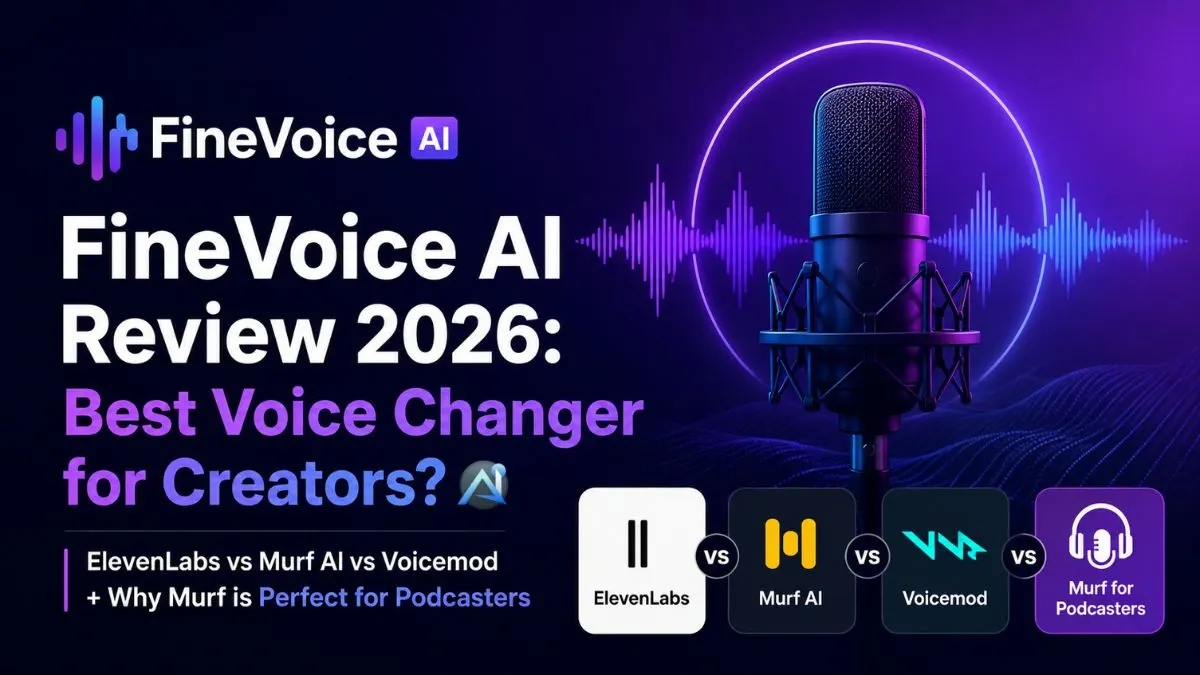
FineVoice vs ElevenLabs
ElevenLabs wins on pure realism. But FineVoice is way cheaper and has ten more tools. For a YouTuber who needs a bit of everything, FineVoice is the better buy.
FineVoice vs Murf AI
Murf AI is for pro e-learning and corporate work. It’s very polished but costs a lot more. FineVoice is more flexible and cheaper for indie creators.
FineVoice vs Voicemod
Voicemod is the king for Voicemod gaming effects. It’s got a huge community. But FineVoice has better TTS and cloning, making it better for creators on multiple platforms.
FineVoice vs Murf for podcasters
Murf has slightly better audio for high-end podcast voiceover work. But the gap is small. FineVoice’s price makes it a better pick for new podcasters.
How to get started with FineVoice AI: setup in under 5 minutes
Starting is easy, and you don’t need a card. You can grab the desktop and mobile apps or use the web. It takes maybe two minutes to install on a decent PC.
The dashboard walks you through your first project. You can have a voiceover or a clone ready in five minutes. It’s one of the easiest starts in the AI audio world.
Step 1—Create a free account
Go to the site and sign up. You don’t need to pay to try the free tier. This lets you poke around and test the voices right away.
Step 2—Choose your workflow
Pick the voice generator, the real-time voice changer, or the cloning lab. Each has its own spot in the sidebar. The layout is easy, so you won’t get lost.
Step 3 — Generate first output and export
Type some text or record your voice. Hit the button and wait a few seconds. If you like it, hit export and save your file.
Pro tips
Use emotion tags to stop the TTS from sounding like a robot. If you’re using the real-time voice changer, check the noise reduction settings to keep it clean. Try the free stuff first to see which plan you actually need.
Before you pay, test these free features first:
- ☐Make a 250-character TTS clip with emotion tags.
- ☐Create one voice clone.
- ☐Test the real-time voice changer in a private call.
- ☐Make three custom sound effects from text.
FAQ
Is FineVoice AI free to use?
Yes. There’s a free plan with 250 TTS characters, 5 voice clones, and 30 sound effects. Paid plans start at $8.99/month for higher limits and commercial use.
How good is FineVoice AI voice cloning compared to ElevenLabs?
FineVoice clones from a 30-second sample in under a minute. ElevenLabs wins on pure realism and emotion, but FineVoice is much cheaper and has more tools.
Can I use FineVoice AI voices commercially?
Official models on paid plans are good for commercial use. Community voices are usually just for personal fun.
Does FineVoice AI work in real time for gaming?
Yes. The real-time voice changer works in Discord and OBS with basically no lag. It’s solid for streaming.
What languages does FineVoice AI support?
It supports 154 languages and accents. AI voice cloning works in all of them too.
What is the best FineVoice AI voice changer alternative?
For gaming, Voicemod has more effects. For realism, ElevenLabs leads. For pro podcast voiceover, Murf AI is a top pick.
Does FineVoice AI have a desktop app?
Yes. There are Windows and macOS desktop app versions and a web interface.