
Introduction
Have you ever spent hours trying to create the perfect video, only to feel frustrated that it still looks stiff or unnatural? It’s exhausting when your ideas are bursting with life, but the tools at hand just can’t keep up. If you’ve been curious about AI video tools, you’ve probably heard the buzz around Sora — and maybe wondered if it really lives up to the hype.
In this post, our Sora AI Reviews will walk you through everything you need to know: real experiences, helpful tips, expert insights, and honest reflections on its strengths and weaknesses. By the end, you’ll have a clear understanding of how it works, what makes it special, and whether it can truly help bring your creative ideas to life. Keep reading — this guide is here to answer your questions and spark inspiration.
What Is Sora AI?
Quick Explanation
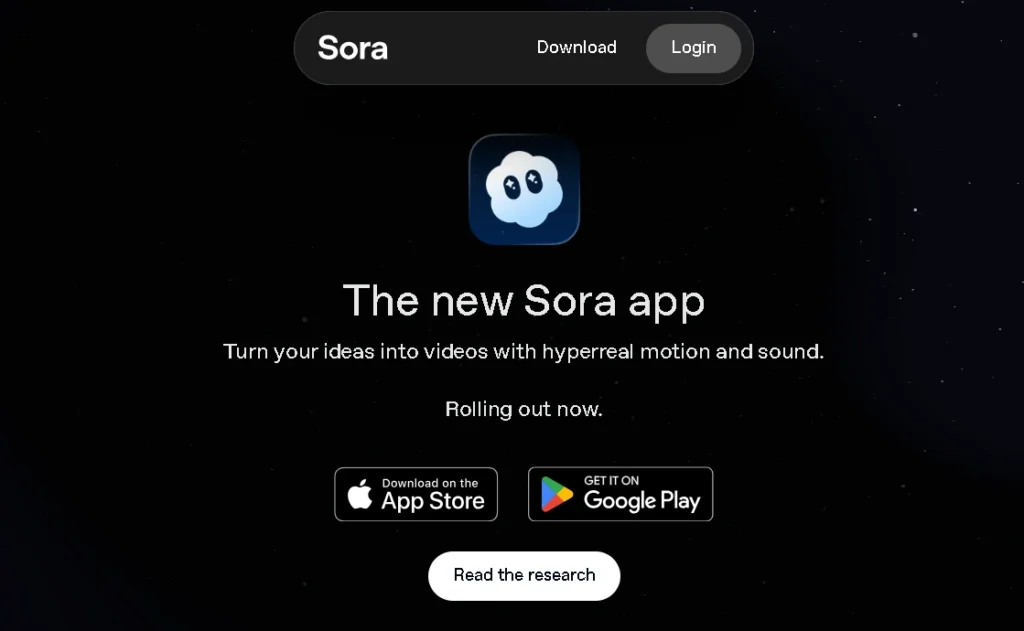
Sora is OpenAI’s next-generation AI video generator designed to create realistic, dynamic, and story-driven scenes from simple text prompts. It can produce:
- beauty influencer videos
- cooking scenes (like sushi-making demos)
- vlog-style footage
- cinematic drone shots
- performance videos (like piano or dance)
- story-based moments with characters, objects, and environments
- animal videos
- product showcases
- realistic physics-based scenes
It takes text and transforms it into motion — sometimes beautifully, sometimes unpredictably.
Why It Is Popular Worldwide
Sora gained global traction because it:
- is cloud-based and works inside your browser
- is accessible through Chat GPT Plus, Pro, or Team
- supports creators across mutliple languages
- integrates storytelling, physics, and cinematic realism
- competes directly with Google’s Veo2
- produces videos that often look like real footage
Sora’s strength isn’t just video generation — it’s the emotion and story it injects into scenes.
Key Benefits of Sora AI
Productivity & Efficiency
Traditional video creation takes days or weeks.
Sora compresses that into minutes.
For creators, this means:
- faster drafts
- quicker iterations
- reduced editing time
- early concept visualization
- easier experimentation
Versatile Usage
From vlog creators to educators, the tool adapts to nearly every industry:
- marketers can generate ads
- beauty creators can test front-camera tutorials
- food bloggers can create recipe clips
- educators can build training videos
- filmmakers can build storyboard concepts
- businesses can create clean, polished explainers
Accessibility & Ease of Use
Even beginners can craft impressive videos in hours, not days.
You don’t need editing software, cameras, or production gear — just your imagination.
Cost Efficiency
AI-generated videos often reduce:
- filming budgets
- equipment rentals
- location costs
- performer fees
- editing costs
For many creators, Sora ai isn’t just a tool — it’s a financial relief.
How Sora AI Works — Step-by-Step Guide
Step 1 — Sign Up / Access
Sora ai currently works through ChatGPT Plus, Pro, or Team.
Some regions require a VPN for access depending on availability.
Step 2 — Choose Your Task
You can create:
- full videos
- scenes
- animations
- storytelling sequences
- vlogs
- product showcases
- cinematic shots
- beauty influencer content
Step 3 — Upload or Type Your Prompt
The quality of your prompt determines the quality of your video.
For example:
“Beauty influencer showing a skincare routine in front-camera perspective, soft lighting, natural gestures.”
or
“A sushi chef preparing salmon nigiri, detailed hand movements, clean kitchen environment.”
Step 4 — Customize & Edit
You can adjust:
- style
- motion
- pacing
- character details
- environment
- mood
- camera angles
Step 5 — Export Your Final Video
Sora supports common global formats suitable for:
- YouTube
- TikTok
- client presentations
- educational modules
Real-World Use Cases
Digital Marketing
Businesses can generate:
- product demos
- brand stories
- testimonial-style videos
- creative ad concepts
Across global markets, Sora replaces expensive shoots.
Education & Training
Teachers use Sora to create multilingual explainers or animated walkthroughs.
Social Media Content
Creators can generate:
- beauty tutorials
- food vlogs
- travel-style sequences
- cinematic stories
- daily-life aesthetic edits
Business Presentations
Sora helps companies visualize ideas before investing in real production.
Entertainment & Creative Work
Filmmakers and writers use Sora to explore:
- character development
- scene concepts
- storyboards
- mood-setting footage
As one filmmaker said:
“Sora doesn’t replace creativity — it gives you more room to breathe.”
Sora AI vs Alternatives
Comparison With Similar Tools
| Tool | Strengths | Weaknesses |
|---|---|---|
| Sora (OpenAI) | Realism, storytelling depth, physics attempts | Inconsistencies in motion accuracy |
| Veo2 (Google) | Clean, cinematic look | Less expressive for human-centric scenes |
| Runway ML | Fast and flexible | Less realism |
| Pika Labs | Great motion | Limited detail in complex scenes |
| Stable Video | Open-source flexibility | Less polished results |
Where Sora Performs Better
- emotional storytelling
- dynamic camera movement
- environmental detail
- character expression
- cinematic mood
Where Competitors Perform Better
- pricing
- simple motion consistency
- longer video output
- quick stylistic shifts
Pros and Cons of Sora AI
Pros
- High-quality AI video generation
- Easy-to-use design
- Global accessibility
- Creative freedom for beginners and pros
- Fast processing
- Strong storytelling quality
Cons
- Requires strong internet
- Regional availability varies
- Advanced features have a learning curve
- Some videos struggle with:
- hand gestures
- physics accuracy
- object consistency
- animal movement realism
Expert Insights & Tips
Tip 1 — Use Clear Prompts
Describe mood, lighting, camera angle, and motion clearly.
Tip 2 — Start With Short Projects
Experiment with 5–10 second clips first.
Tip 3 — Maintain Ethical AI Use
Use royalty-free references and original concepts.
Relevant Statistics
AI video creation tools grew by more than 40% globally in 2025, dominating brand marketing, education, and content creation trends.
FAQs
1. Is Sora AI free to use?
No, it requires ChatGPT Plus, Pro, or Team, or purchasing video credits.
2. What makes Sora different from other video tools?
Its realism, storytelling depth, and emotional nuance.
3. Can beginners use Sora easily?
Yes — it’s built for simplicity.
4. Are Sora videos safe for commercial use?
Yes, but always check copyright guidelines for prompts.
5. Does Sora support multiple languages?
Yes, Sora understands global prompts and descriptions.
6. What devices are compatible?
Any modern browser on PC, laptop, or tablet.
7. Should I choose Sora over Runway or Pika Labs?
Choose Sora ai for storytelling; choose Runway or Pika for quick edits or stylized motion.
Conclusion
Sora ai is more than an AI tool — it’s a new way of thinking about visual storytelling. It isn’t perfect, and it isn’t predictable, but it opens doors that didn’t exist before. Whether you’re a creator, a teacher, a brand, or simply someone curious about the future, Sora offers a glimpse into the next chapter of video creation. The best advice is simple: explore it with openness, patience, and imagination. Because the story of Sora isn’t just about technology — it’s about the people who will use it to create the moments that move us.




Pingback: Pixelcut AI Review 2025: Is This Photo Editor Worth It?
Pingback: Topview AI 2026: Detailed Review of Plans, Features & Value