
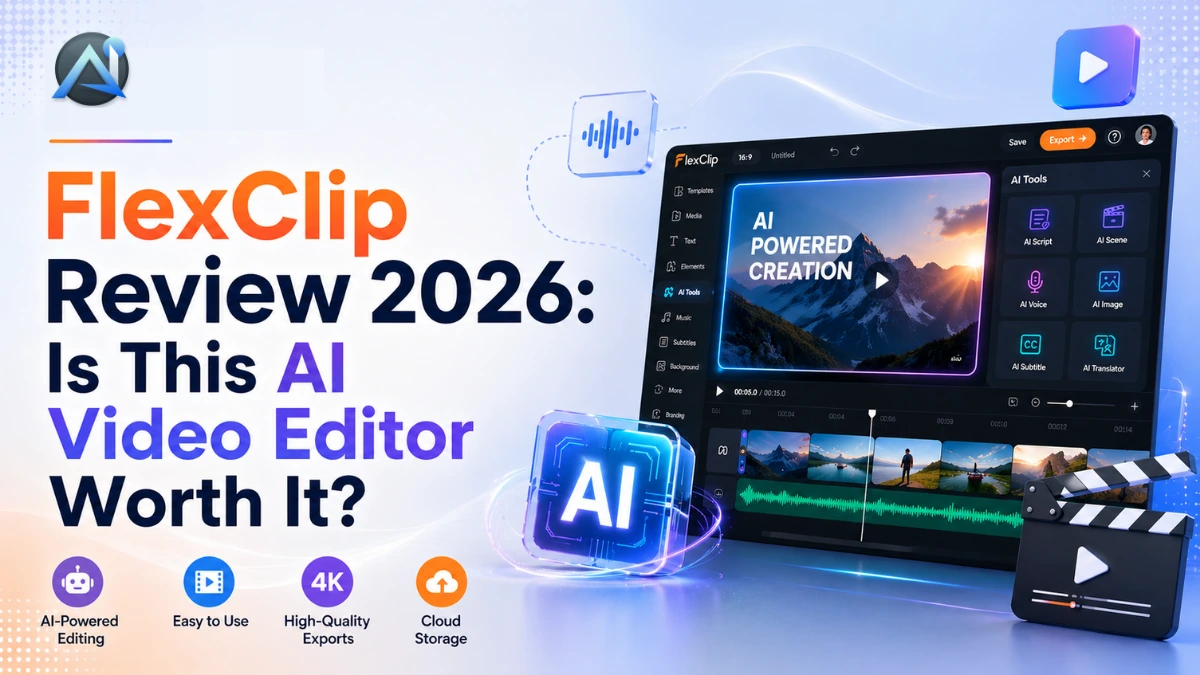

In 2026, video content? It’s not optional anymore—it’s how you grab eyes on social, YouTube, or your site. We’ve all been there: wrestling with Premiere Pro’s crazy learning curve, massive downloads, and subscriptions that hit your bank hard. That’s where FlexClip comes in. This browser-based gem uses AI to make editing dead simple and fun.
This FlexClip review dives deep. You’ll get the full scoop on FlexClip features, FlexClip pricing, pros and cons, and whether it’s worth your time. We cover everything from AI text-to-video magic to real-user stats (5M+ creators agree). Stick around for our verdict and how to start free today.
What Is FlexClip?
FlexClip? It’s this slick AI video editor from PearlMountain, built for whipping up videos fast without any headaches. Just hop into your browser—no downloads, no beastly computer required. It’s perfect for beginners, marketers, and small businesses who want pro results fast.
Think of it as “Canva for video”. Over 5 million users have downloaded 10 million+ videos. Whether you’re crafting social media clips or promo reels, this online video maker handles it all. In our FlexClip review, it shines for speed and ease.
FlexClip Key Features
FlexClip’s loaded with killer tools that turn video editing into a total breeze. You’ve got smart AI tricks and a huge library— just drag, drop, and hit publish. Let’s dive into the best bits.
AI Text-to-Video Generator
Turn prompts, articles, or URLs into full videos with FlexClip’s FlexClip text to video tool. You type a script or paste a blog post, and AI generates scenes, voiceovers, and music. It’s a game-changer for busy creators—no manual assembly required. Perfect as a video creation tool for beginners.
Speechelo Review compares well for voiceovers, but FlexClip bundles it seamlessly.
6,000+ Templates
FlexClip templates cover every niche: social media, business, holidays, you name it. You pick one, tweak colours or text, and export. Organised by use case, they save hours. As a social media video maker, these shine for Instagram Reels or TikTok.
4M+ Stock Media Library
Dive into 4 million+ videos, images, and tracks—all royalty-free. You search, drag into your timeline, and layer effortlessly. This drag-and-drop video editor keeps things intuitive.
Auto Subtitles & AI Voiceover
The AI auto-subtitles? Spot-on 95% of the time, which amps up your SEO and makes videos easy for everyone to follow. Team it with super-realistic voiceovers in 140+ languages—magic. Exports fly on any device.
AI Background Remover
Ditch green screens. FlexClip’s AI zaps backgrounds in seconds—one-click magic for product demos or headshots.
New AI Models
FlexClip integrates Hailuo, Kling, and Google Veo 3 for cutting-edge AI video generator effects. You create surreal clips from text, like animated explainers. Cutting-edge without complexity.
Screen Recording & GIF Creator
Bonus: Built-in screen recorder captures tutorials perfectly. Convert clips to GIFs for quick shares. These extras make FlexClip your all-in-one hub.
FlexClip Pricing Plans
FlexClip pricing keeps it accessible. Start free, upgrade as needed. No long contracts—flexible monthly or annual billing.
FlexClip’s free plan is great for dipping your toes in: 720p exports, basic stuff, watermarks, and up to 12 projects. Bump to Plus for $11.99 a month—you get 1080p, no ugly watermarks, and 40 projects. The Business plan at $19.99/month throws in team collab, 4K quality, and unlimited storage. Need more AI power? Grab the $9.90 add-on credits for heavy lifting.
| Plan | Price | Resolution | Projects | Watermark | AI Credits/Mo |
|---|---|---|---|---|---|
| Free | $0 | 720p | 1 active | Yes | Limited |
| Plus | $11.99/mo | 1080p | 40 | No | 30 |
| Business | $19.99/mo | 4K | Unlimited | No | 100 |
Plus a 7-day money-back guarantee. Fair deal for most.
FlexClip Pros and Cons
FlexClip nails simplicity, but it’s not flawless. Here’s the balanced view from our FlexClip review.
Pros:
- No install—pure browser-based video editor.
- Beginner-friendly with massive FlexClip templates.
- Powerful AI tools like text-to-video.
- Generous FlexClip free plan.
- Huge stock library.
Cons:
- Single video track limits complex edits.
- Long videos export slowly on the free tier.
- Watermark bug-free users.
- No advanced colour grading for pros.
Overall, pros outweigh cons for 80% of users.
FlexClip vs Competitors
How does FlexClip stack up? We compared top AI video editor rivals. FlexClip wins on ease and price.
| Tool | Price | Best For |
|---|---|---|
| FlexClip | Free/$11.99+ | Beginners & marketers |
| CapCut | Free | Short-form creators—fast mobile edits, but less AI depth. |
| InVideo AI | $25/mo | AI-heavy workflows—great prompts are pricier. Check HeyGen Review or Colossyan Review for alternatives. |
| Canva Pro | $12.99/mo | Design-first users—templates galore, weaker video AI. |
| Filmora | $49.99/yr | Intermediate editors—effects-heavy, steep curve. |
| Pippit AI | Varies | Advanced AI—see Pippit AI Review. |
FlexClip leads for quick, no-fuss wins. Competitors suit niches, but FlexClip’s free tier tempts most.
Who Should Use FlexClip?
Grab FlexClip if you’re a blogger, social media manager, small biz owner, or educator needing fast videos. It excels as a video creation tool for beginners—no tech headaches.
Skip it for multi-track epics or Hollywood grading. For beginner-friendly alternatives, check VMake Review.
How to Get Started with FlexClip
Ready to dive in? Here’s your quick-start guide to using FlexClip.
- Sign up free at flexclip.com—no card needed.
- Choose a FlexClip template or blank canvas.
- Fire up AI tools: Generate from text or edit with drag-and-drop.
- Preview, export (HD on paid), and publish to YouTube or socials.
You’ll have your first video in 10 minutes. Boosts long-tail searches like “how to use FlexClip” effortlessly.
Final Verdict
In this FlexClip review, we rate it 4.3/5. It’s a standout FlexClip AI video editor for beginners and creators craving speed over complexity. Templates, AI, and pricing make it unbeatable value.
Try FlexClip free—no credit card needed.
FAQ
Is FlexClip free to use?
Yes, the FlexClip free plan offers core tools with watermarks and limits. Upgrade to remove them.
Is FlexClip good for beginners?
Absolutely. Its drag-and-drop video editor and templates make it a top video creation tool for beginners.
FlexClip vs CapCut—which is better?
FlexClip edges out for AI and templates; CapCut wins mobile short-form. Depends on your workflow.
Does FlexClip add a watermark on the free plan?
Yes, but Plus removes it instantly.
What AI models does FlexClip use?
Hailuo, Kling, and Google Veo 3 are top-tier AI video generator powers.
Rating: 4.3/5 ⭐⭐⭐⭐